
If you play SpongeBob SquarePants: Battle for Bikini Bottom – Rehydrated and having problems with the resoluton of the game, this guide will show you how to set the resoluton of SpongeBob SquarePants, let’s check it out.
Before Start
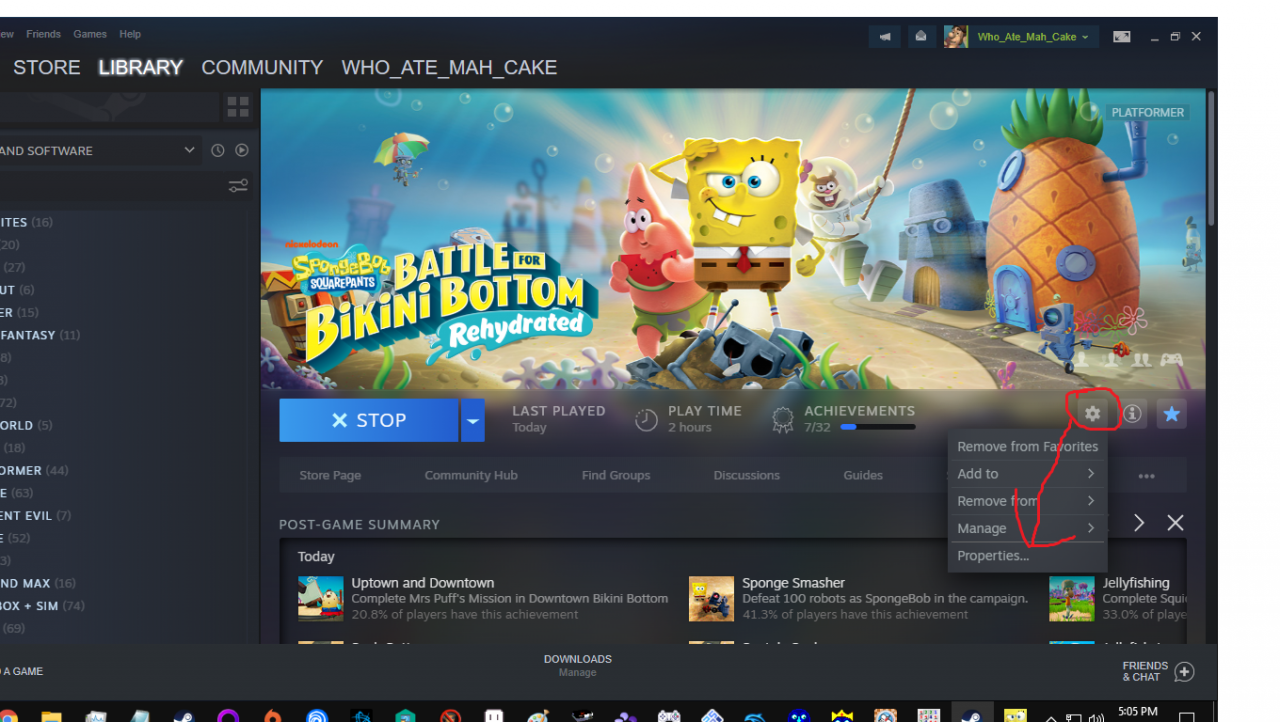
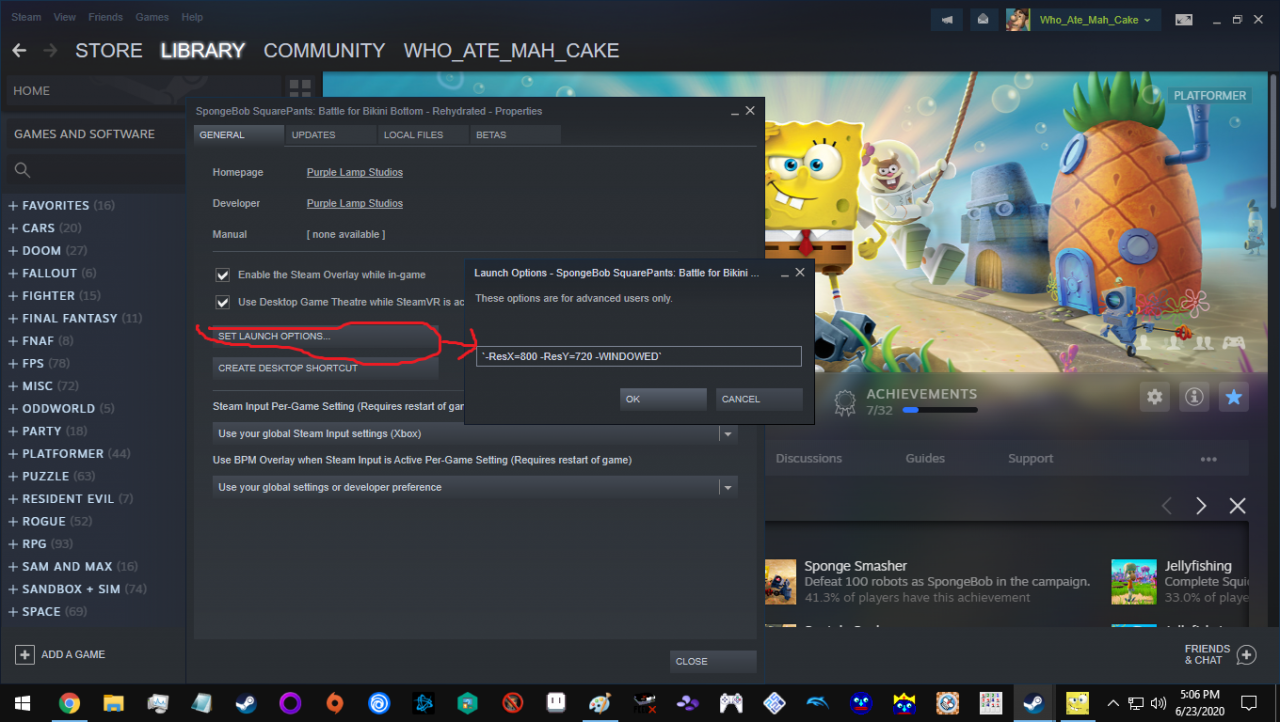
Before you launch the game go to the properties option on the games page. Then go to set launch options and type something like this excluding the parenthsis (`-ResX=1280 -ResY=720 -WINDOWED`). You can set the resolution to whatever you want and if you dont want windowed mode just exclude.
Change Resolution
That’s all we are sharing today in SpongeBob SquarePants How to Set Custom Resolutions Guide, if there are anything you want to add please feel free to leave a comment below and we’ll see you soon.
Credit to Who_Ate_Mah_Cake
Related Posts:
- SpongeBob SquarePants: Battle for Bikini Bottom – Rehydrated Save File Location
- SpongeBob SquarePants How to “Fix” Glitched 100 Spatulas Achievement
- SpongeBob SquarePants How to Adjusting Graphics Quality and Boost FPS
- SpongeBob SquarePants How to Fix Achievements Bug (Socks, Spatulas)
- SpongeBob SquarePants How to Access the Console