
Skip to content
Menu
SteamAH
  • Cheat
  • Guide
  • Tips
  • Privacy Policy
  • Abuse
SteamAH

DOOM Eternal: How To Turn Off Tutorials

Posted on March 21, 2020

If you are tired of tutorials? Can’t seem to figure out the solution? Can’t realize that they don’t show up again upon replaying a level?
Don’t worry, I know exactly what to do! Try to follow along. here is a simple guide for you to turn off the tutorials in the game with screenshots.


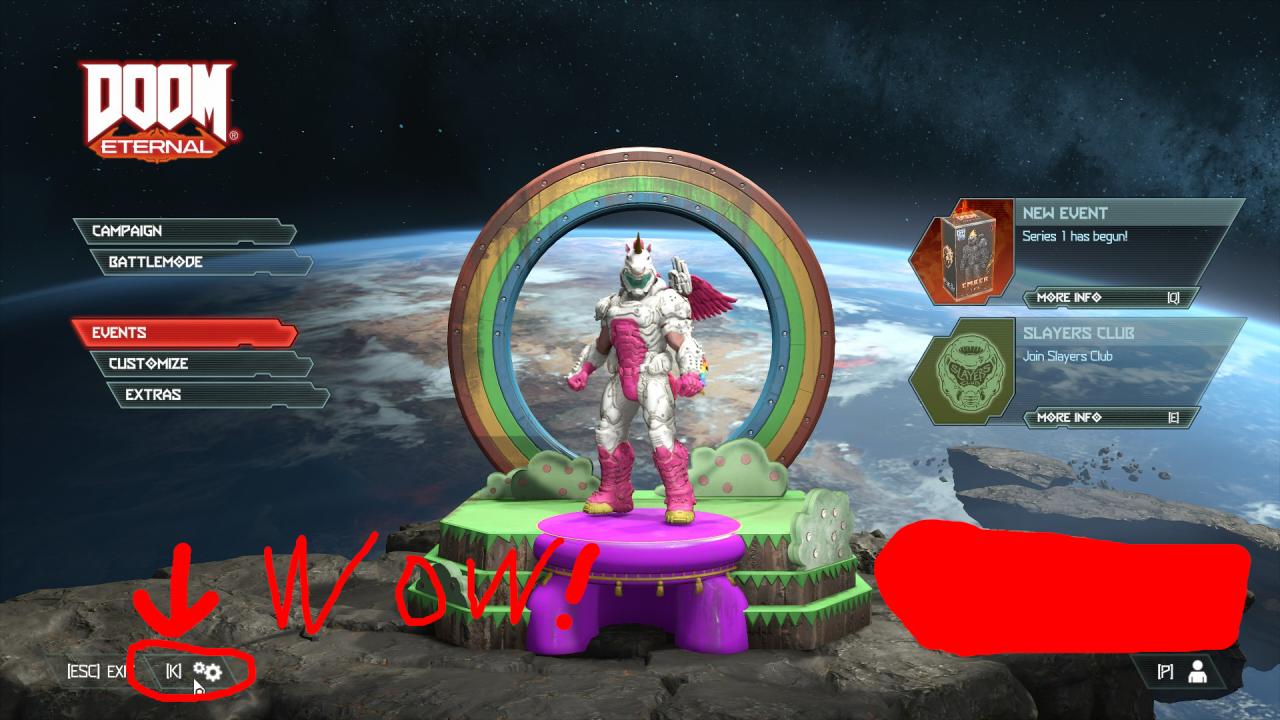
Step 1. Opening the Options Menu

First, go to the options menu.
DOOM Eternal: How To Turn Off Tutorials

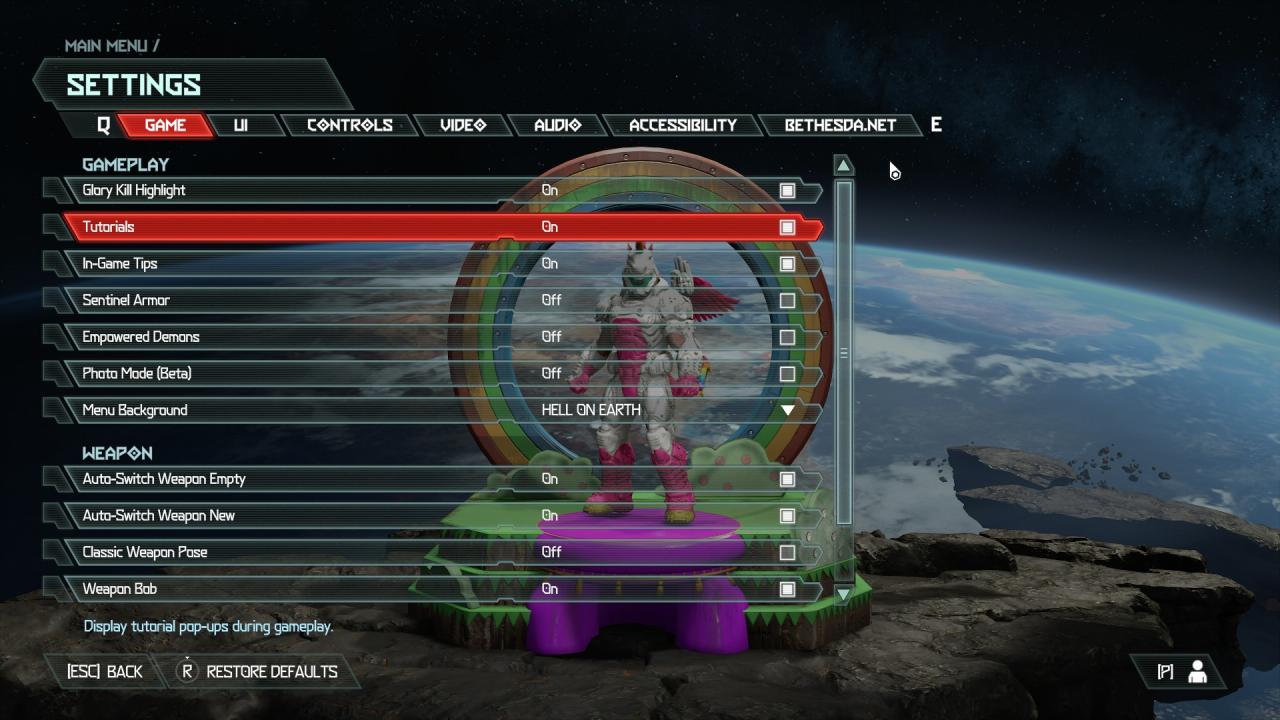
Second Step. Turning off the tutorials!

Now, hit the option that says “Tutorial”. You can also turn off “In-Game Tips”.
DOOM Eternal: How To Turn Off Tutorials
That’s all. hope this simple guide will help you.
By NightBlader

MORE GAME GUIDES FOR YOU

Related Posts:

  • DOOM Eternal: How To Bypass The VRAM Limitation
  • DOOM Eternal: How to Disable Anti-aliasing
  • DOOM Eternal: How to Skip Intro
  • DOOM Eternal: How to Beat Marauders Quickly
  • DOOM Eternal: How to Fix Poor FPS (PC)

1 thought on “DOOM Eternal: How To Turn Off Tutorials”

  1. urkek says:
    July 18, 2021 at am10:47

    Wish it would work that way, some still randomly show up

    Reply

Leave a Reply Cancel reply

Your email address will not be published. Required fields are marked *

Disclaimer

All content cited is derived from their respective sources. If you think we have used your content without permission, Please go to the Abuse Page to contact us and we will be taking it seriously.

Recent Posts

  • Windrose: 100% Save Files for All Characters
  • Commandos: Origins – 100% Save Files (DLC Included)
  • Replaced: Save Files for All Chapters
  • Spaceflight Simulator: Save Files with Many Satellites and 17 Chanllenges Completed
  • Pragmata: 100% Save Files
©2026 SteamAH | Powered by SuperbThemes & WordPress