
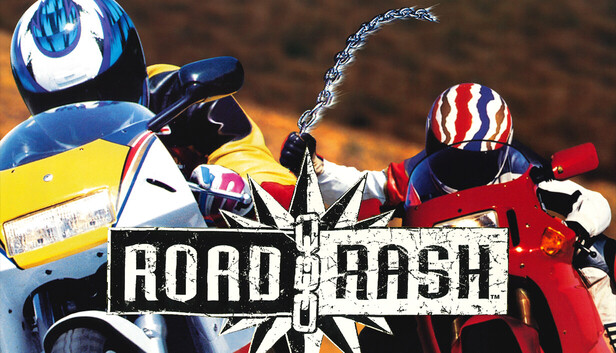
After all these years, I finally got my hands on a legitimate copy of this one — and honestly, this is the version that deserves the classic label. If you grew up with Road Rash, you probably already know the game shipped with a cheat system tucked under the hood. For everyone else, this guide walks through exactly how to activate it, how to back out cleanly, and which of the codes are actually worth your time. I’ve gathered everything into one place so you don’t have to dig through old forum scraps like I did.
You can use these codes in both The Big Game Mode and Thrash Mode (the latter being the big game mode without saves). Those modes contain 5 levels, 5 tracks, and 25 races, and the difficulty ramps up hard with each event while the AI riders get faster. Keep that in mind before you go hunting for shortcuts.
How to Activate the Cheat System
First, head into any mode and start any race. Once you reach the 3-2-1 countdown screen, you can type the preliminary command — just make sure your keyboard is set to English input. Type xyzzy and hit Enter. If your rider’s name turns yellow, the cheat input mode is live. That color change is your confirmation, so don’t skip checking it.
To exit cheat mode, type plugh. Your name goes back to white, and any further cheat codes you enter will no longer take effect. This is the part a lot of people trip up on — if a code seems to do nothing, the first thing I’d check is the color of your character’s name. Wrong color means you’re not in input mode and the game is just ignoring you.
Restoring the Classic Music
No music, no soul — that’s how I feel about it, anyway. The older soundtrack is still in there; you just have to dig it out. Once you’re in the game, navigate to Restroom → Graphics and Sound → Sound Mix and set Rock music in race to off. That swaps back in the original sound effects and music.
On the flip side, if the in-race background music is too loud for your taste, go back to the same Sound Mix menu and pull Interface volume down to 0%.
The Cheat Codes
Once your name is yellow, these are the codes you can punch in. One thing that slips past a lot of players: every code needs Enter pressed at the end or nothing happens. Here’s the full list:
- spoon! — Adds nitrous boost to your bike, shown as 10 red dots above your health bar. Press N to activate it, and the boost stacks.
- k’thunk! — Gives you the white stick weapon.
- thwack! — Gives you the chain.
- bribe — Bribes the cops, reducing how often traffic police patrol the road.
- yes,occifer — Makes the cops disappear (technically it extends the reduced time even further).
Removing Traffic from the Game
Once you push into the later levels, the city and seaside maps flood with traffic — during peak hours it can jam up completely and racing cleanly becomes a real chore. There’s a way to strip every vehicle spawn out of the game entirely, but it means editing game files, so back things up before you try it. That backup advice is something I’d genuinely stress, not just say for the sake of it.
To do it: right-click the game in your library, choose Manage, then Browse local files. Navigate into the DATA\CARS folder, then rename it, cut it elsewhere, or delete it outright.
This is a double-edged option, and I want to be clear about that. Removing the cars doesn’t only help you — it helps every AI rider too, and nobody will crash and go flying through the air anymore. If you’ve already loaded up the nitrous code, that consideration goes out the window, but any file-level change like this dramatically reshapes how the game plays. Only bother with it if the later-level traffic is genuinely stopping you from competing while you’re chasing a championship. To undo it, just restore the DATA\CARS folder.
If you skipped the backup and still want to reverse course, verify your game files through the launcher and it’ll restore everything for you.
Turning Off Background Textures
Running this on an emulator and can’t hold 60 frames? Or maybe you just don’t care for the look of the hills and buildings. Type — (two English minus signs) to disable all textures. To bring them back, type ++ (two English plus signs).
The Sierra Nevada Easter Egg
Easter eggs belong at the end, so here’s the one worth knowing. On the race selection screen, once you’ve highlighted Sierra Nevada, press the A key on your keyboard. This reveals a hidden easter egg tucked into the race postcard.
Getting these codes working is mostly about that one detail — the yellow name. Watch for it, and everything else falls into place.