

This guide of Mortal Kombat 1 will explain how to setting to activate Motion Blur for better playability and deactivate Film Grain for better visibility
How to
1) Go to “C:\Users\USERNAME\AppData\Local\MK12\Saved\Steam\Config\WindowsNoEditor”.
2) Open the file “Engine.ini”.
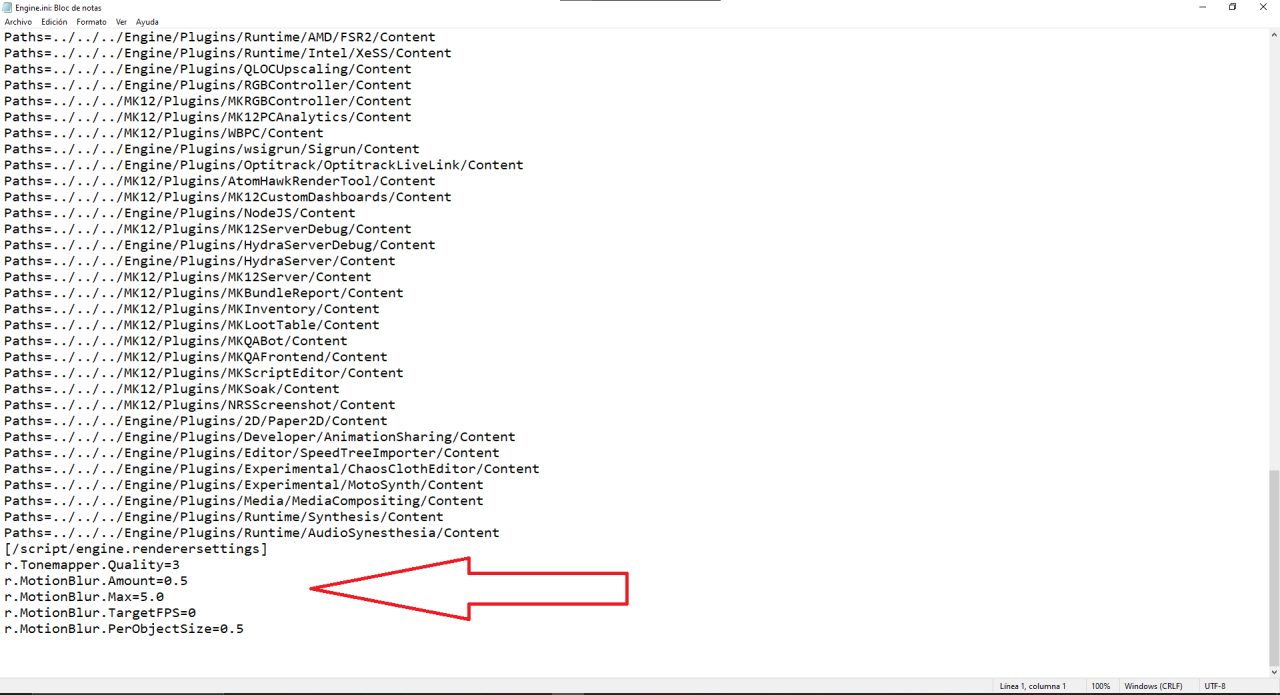
3) At the end of the text, add this:
[/script/engine.renderersettings]
r.Tonemapper.Quality=3
r.MotionBlur.Amount=0.5
r.MotionBlur.Max=5.0
r.MotionBlur.TargetFPS=0
r.MotionBlur.PerObjectSize=0.5
4) Save the file.
5) In the properties of the file, set it as “Read-only”.
Now the game will feel much more fluid and comfortable to the eye, to the point that the fatal blows seem to be at 60fps. Film grain will also be disabled. This configuration comes in handy while we wait for the QLOC optimization update, if it arrives.