

For The Outer Worlds players, this guide will explian how you can Disable Mouse Acceleration for Outer Worlds on Steam. Let’s check it out.
What is Mouse Acceleration.
Mouse Acceleration increases the speed of movement of your mouse pointer, depend on how fast you move it on the screen.
You are able to reach your target faster, however, this also means you will likely overshoot. Which is not what you want in and FPS game.
How to Disable.
You will need to find the Input.ini file located in your AppData folder here:
C:\Users\*YOUR USERNAME*\AppData\Local\Indiana\Saved\Config\WindowsNoEditor
Once you open it, you will find that it is EMPTY. (Makes sense….)
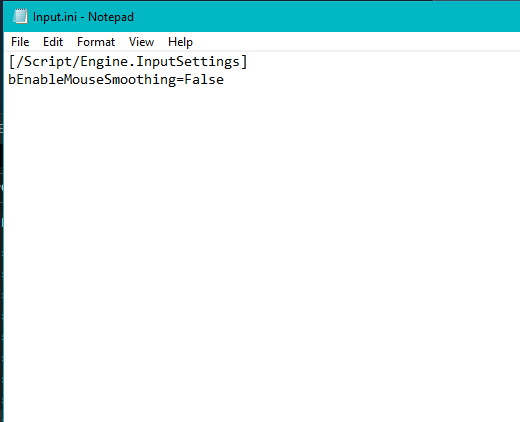
Then enter in the following lines:
[/script/engine.inputsettings]
bEnableMouseSmoothing=False
Save the file, and you are good to go.
That’s all we are sharing today in The Outer Worlds How to Disable Mouse Acceleration, if there are anything you want to add please feel free to leave a comment below and we’ll see you soon.
Credit to Classicsniper00
Related Posts:
- The Outer Worlds How to Get a Center Crosshair
- The Outer Worlds How to Change FOV for Widescreen Monitors
- The Outer Worlds Ultrawide Fullscreen Fix
- The Outer Worlds How to Importing Saves & Achievements to Steam
- The Outer Worlds How to Enable Console
1 thought on “The Outer Worlds How to Disable Mouse Acceleration”