

Skip to content
Menu
SteamAH
  • Cheat
  • Guide
  • Tips
  • Privacy Policy
  • Abuse
SteamAH

SOUTH PARK: SNOW DAY! – 32:9 Ultrawide Fix

Posted on March 27, 2024

Here is a short guide to fix the 32:9 Ultrawide issue in SOUTH PARK: SNOW DAY!


To change FOV scaling to HOR+ instead of VERT-:

1. Navigate to: %appdata/local/Snowday/Saved/Config/WindowsNoEditor
2. Open “Engine.ini” with your text editor
3. Add the following lines to the end of the file

[/script/engine.localplayer]
AspectRatioAxisConstraint=AspectRatio_MaintainYFOV
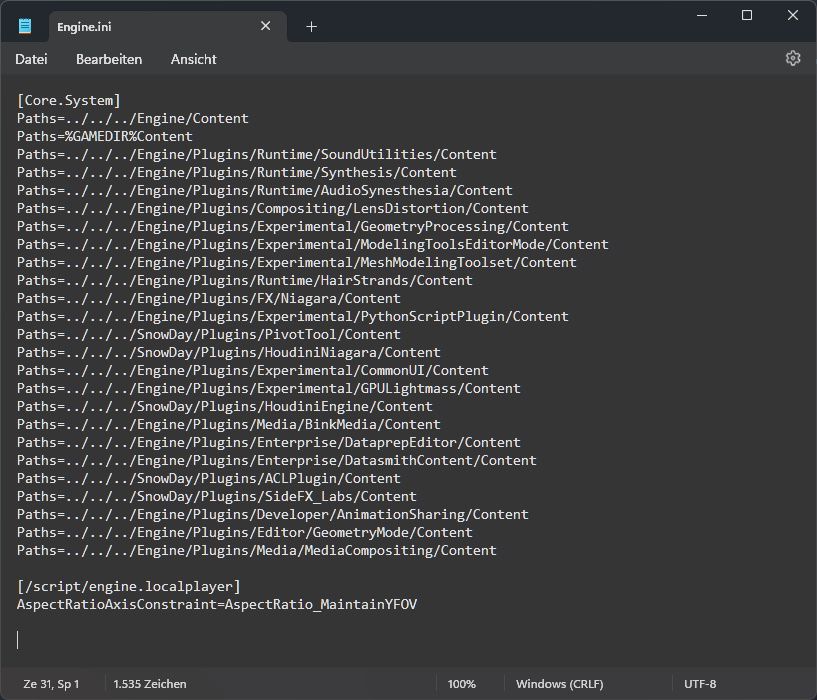
4. Save and start the game as usual.

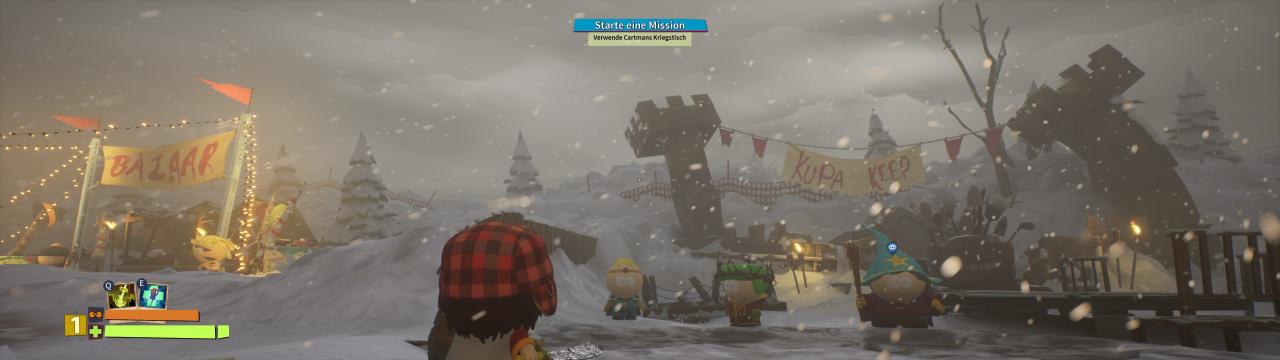
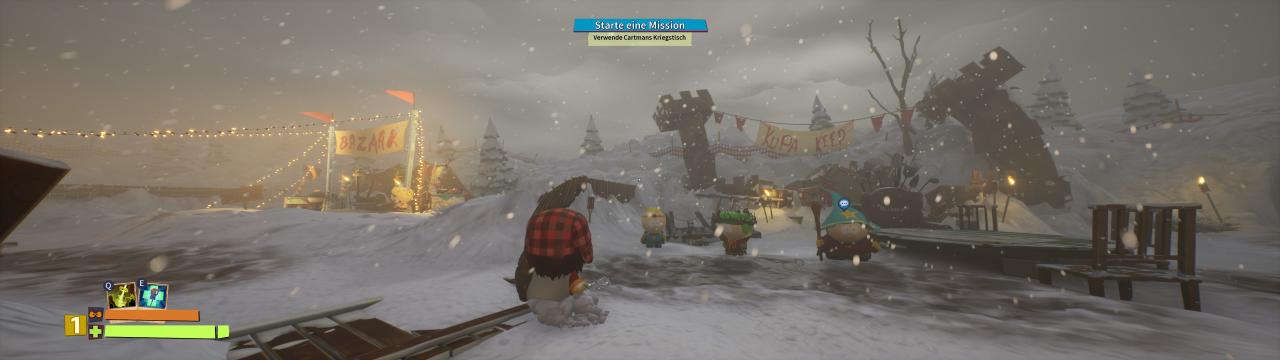
Comparison screenshots

Without Fix (Max FoV):
With Fix (Standard FoV):

Thanks to Vault Traveler for their excellent guide; all credit belongs to their effort. If this guide helps you, please support and rate it here. Enjoy the game.

Related Posts:

  • SOUTH PARK: SNOW DAY! – 100% Achievement Guide

Leave a Reply Cancel reply

Your email address will not be published. Required fields are marked *

Disclaimer

All content cited is derived from their respective sources. If you think we have used your content without permission, Please go to the Abuse Page to contact us and we will be taking it seriously.

Recent Posts

  • Borderlands 4: Currently Working SHiFT Codes (October 2026)
  • DEATH PENALTY: How to Fix Broken Achievements Issue on Linux
  • HIROTONFA’s American Revolution Smuggler – City Reference Guide
  • Wrenny Lee: Witch-for-Hire! – 100% Achievement Guide
  • Stranded with You: Full Save
©2026 SteamAH | Powered by SuperbThemes & WordPress