

Skip to content
Menu
SteamAH
  • Cheat
  • Guide
  • Tips
  • Privacy Policy
  • Abuse
SteamAH

Lords of the Fallen How to Disable Easy Anti Cheat

Posted on October 15, 2023
For Lords of the Fallen players wh don’t want to deal with Easy Anti Cheat, this guide will show you how.


Guide

1. Create a text file called steam_appid.txt and place it in
~\steamapps\common\Lords of the Fallen\LOTF2\Binaries\Win64

Your directory should look something like this:
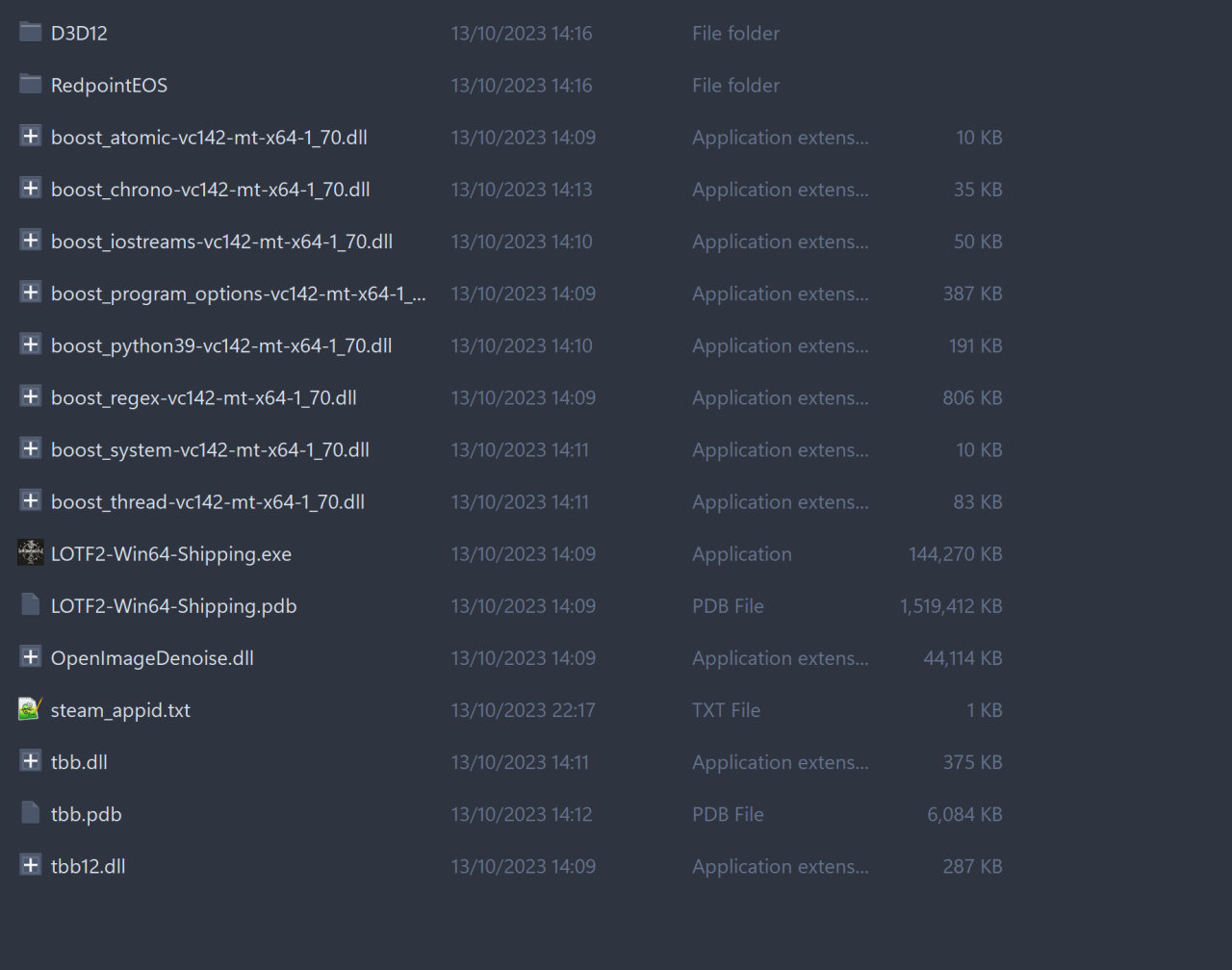
2. Open the file and add “1501750” without quotes, save.

3. Launch the game through the .exe file in the same directory. Make sure steam is open when you do that.

To play with EAC enabled just launch the game through steam.


That’s all we are sharing today in Lords of the Fallen How to Disable Easy Anti Cheat, if you have anything to add, please feel free to leave a comment below, you can also read the original article here, all the credits goes to the original author _orbitΛldrop

MORE GAME GUIDES FOR YOU

Related Posts:

  • Lords of the Fallen How to Skip Intro Videos
  • Lords of the Fallen How to Fix UE5 Stuttering Issue

Leave a Reply Cancel reply

Your email address will not be published. Required fields are marked *

Disclaimer

All content cited is derived from their respective sources. If you think we have used your content without permission, Please go to the Abuse Page to contact us and we will be taking it seriously.

Recent Posts

  • School of Love Clubs: Full Gallery Saves (v1.9.1)
  • Soundpad: Meme Sounds Pack (2026 UPDATED!)
  • HoloVillage: Our Cozy Days – Complete Material Source Guide
  • Heroes of Might and Magic: Olden Era – “Golden Oasis” Custom Map for 4 Players
  • holoVillage: Our Cozy Days – All Fishing Spots
©2026 SteamAH | Powered by SuperbThemes & WordPress