Skip to content
Menu
SteamAH
  • Cheat
  • Guide
  • Tips
  • Privacy Policy
  • Abuse
SteamAH

GRID Legends How to Decrease Controller Deadzone

Posted on March 6, 2022

For GRID Legends players who want to set the controller deadzone but don’t know where to find the option, this guide will show you how to decrease controller deadzone

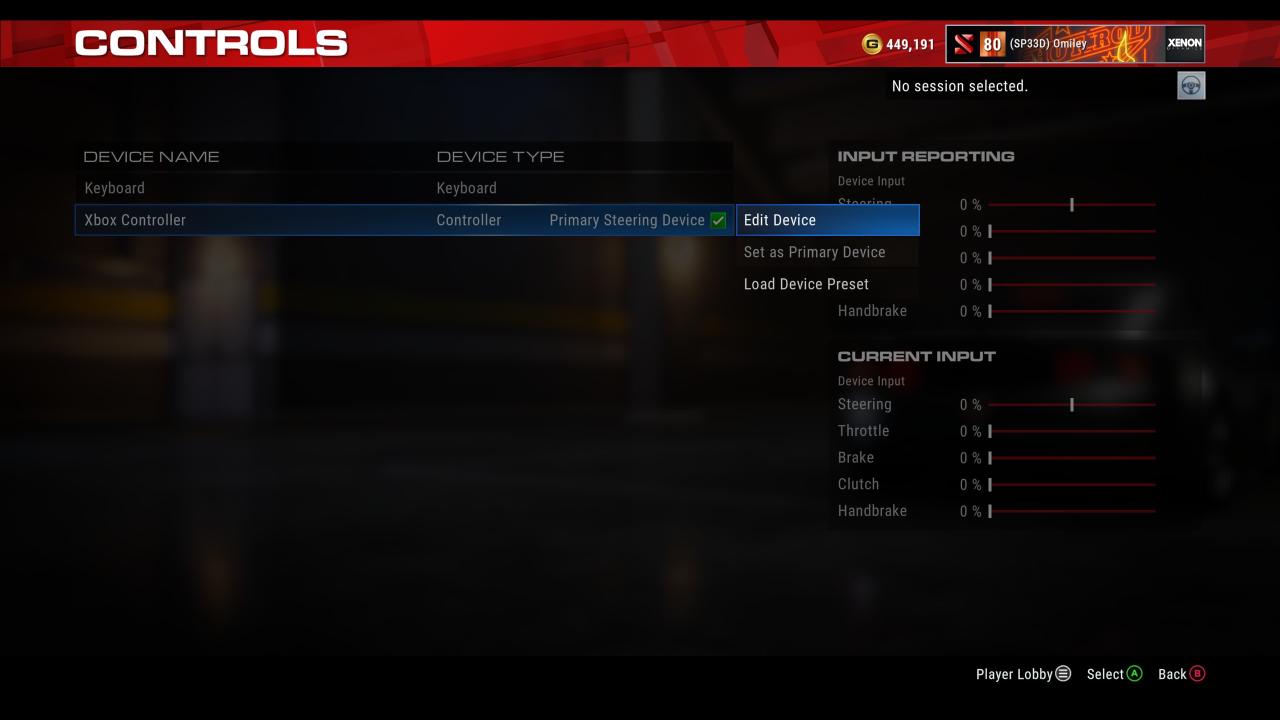
Navigate to Options/Controls
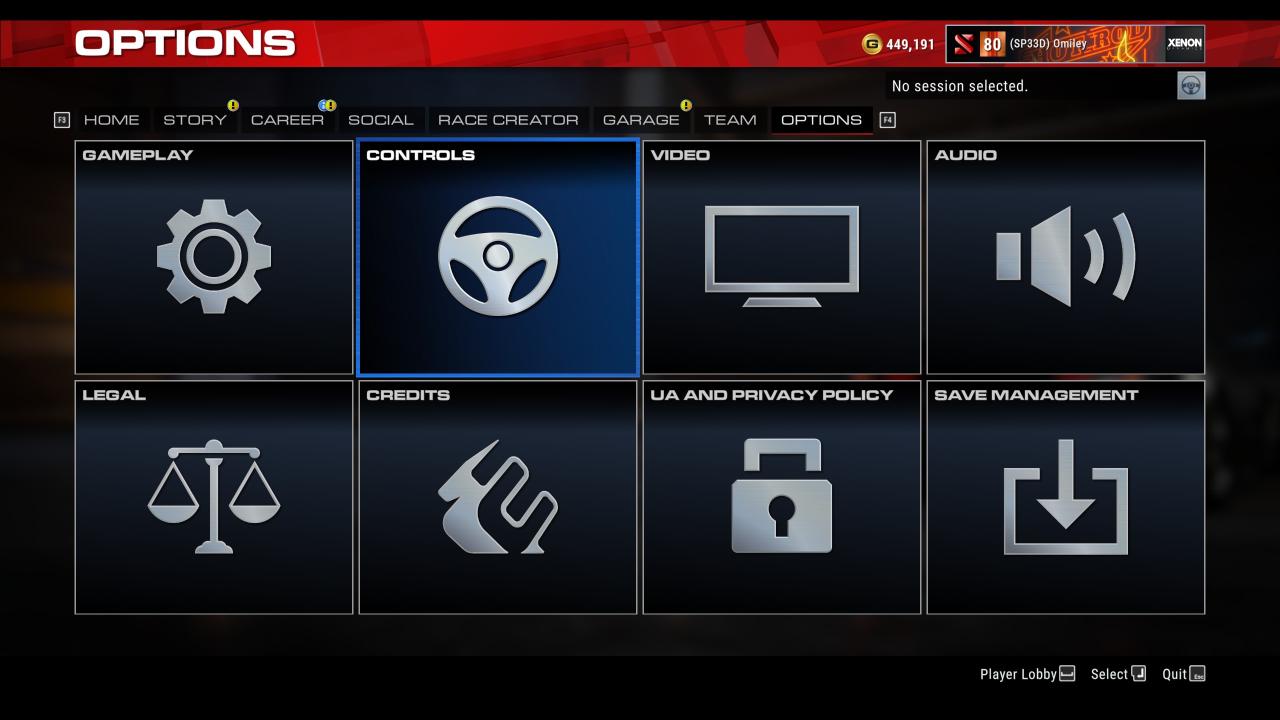
GRID Legends How to Decrease Controller Deadzone

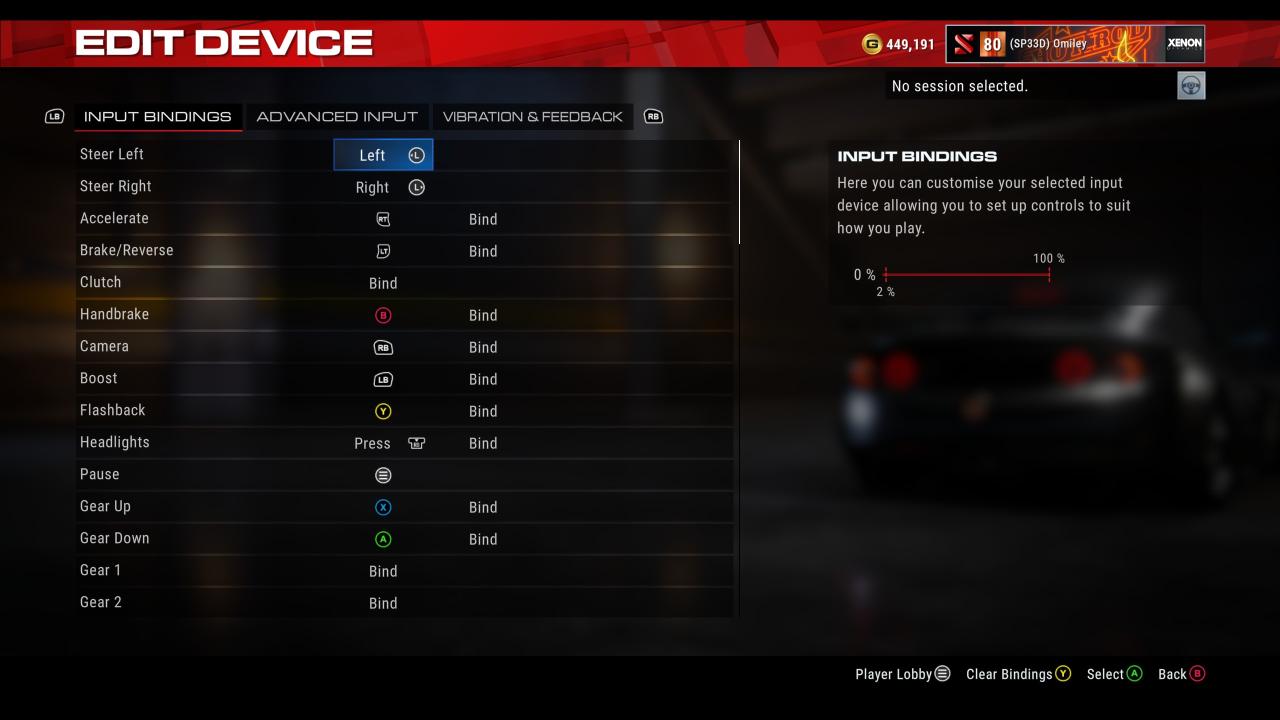
Select Controller, then Edit Device.

GRID Legends How to Decrease Controller Deadzone

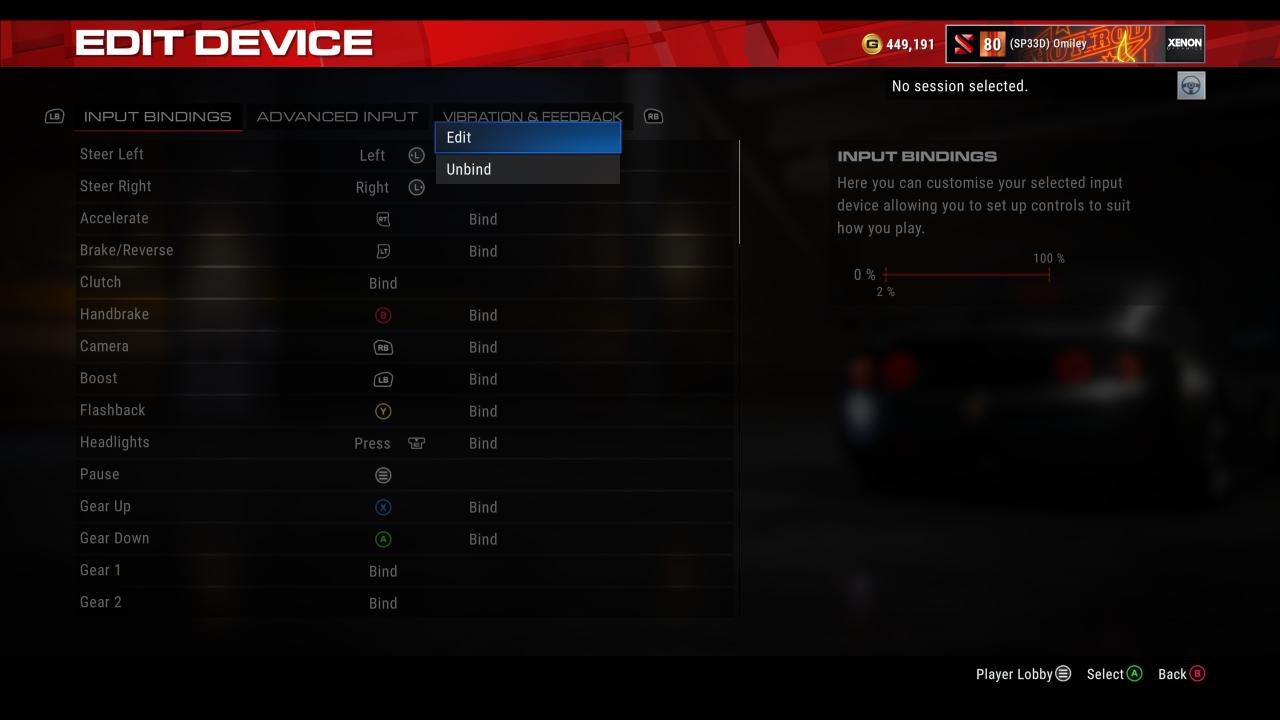
Select Steer Left/Right, then Edit

GRID Legends How to Decrease Controller DeadzoneGRID Legends How to Decrease Controller Deadzone

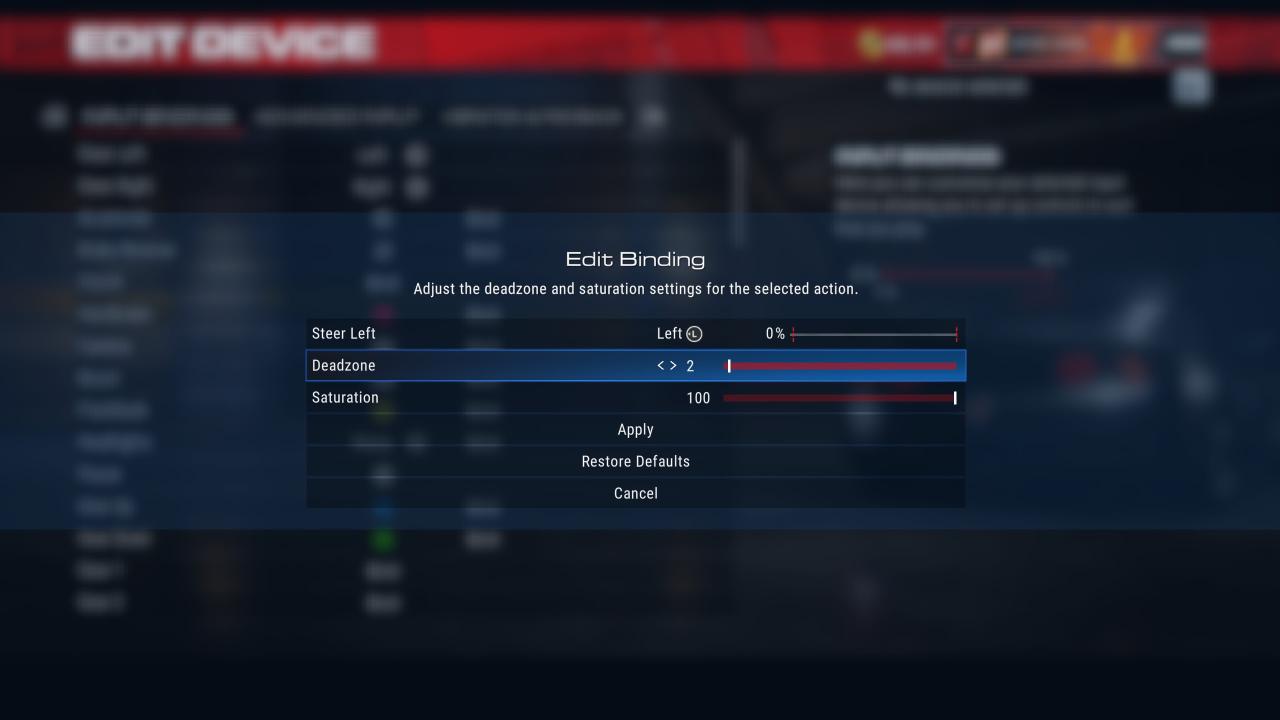
By Default it’s set to 20%, now change to desired deadzone (0-3%).
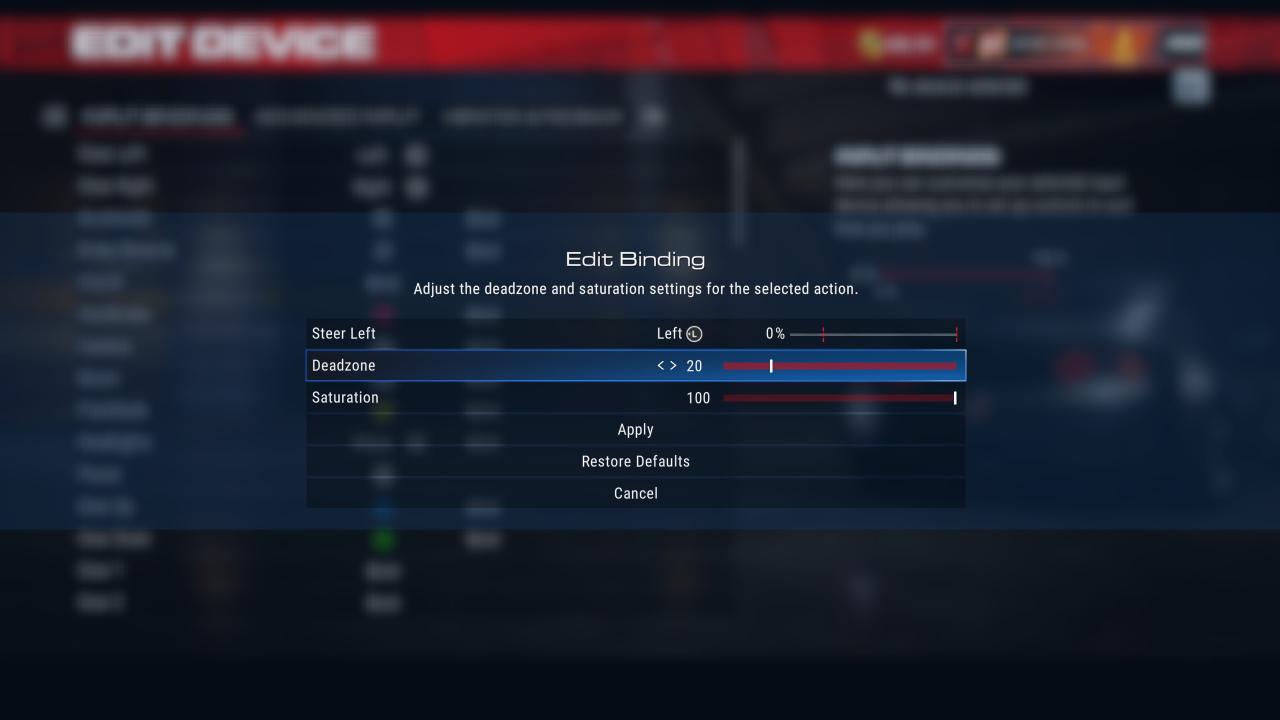
GRID Legends How to Decrease Controller DeadzoneGRID Legends How to Decrease Controller Deadzone
That’s all we are sharing today in GRID Legends How to Decrease Controller Deadzone, if you have anything to add, please feel free to leave a comment below, you can also read the original article here, all the credits goes to the original author (SP33D) Omiley

Leave a Reply Cancel reply

Your email address will not be published. Required fields are marked *

Disclaimer

All content cited is derived from their respective sources. If you think we have used your content without permission, Please go to the Abuse Page to contact us and we will be taking it seriously.

Recent Posts

  • Maid Cafe Simulator: How to Get the A Talent for QC Achievement
  • Clive Barker’s Hellraiser: Revival – Hellraiser Difficulty Save Tokens Guide
  • Car Park Capital: Basic Guide for Game Mechanics
  • Car Park Capital: How to Use Your Own Blueprints in the Normal Game
  • Car Park Capital: Beginners’ Guide

Advertisement

©2026 SteamAH | Powered by SuperbThemes & WordPress