

Skip to content
Menu
SteamAH
  • Cheat
  • Guide
  • Tips
  • Privacy Policy
  • Abuse
SteamAH

Farm Together 2: How to Enable a Switch Controller for Steam

Posted on May 7, 2024

This is a guide on how to use a Switch controller with this game.


Enabling Steam Input

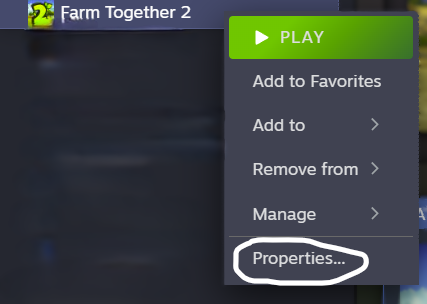
Step 1: Right Click on Farm Together 2, then Click on “Properties.”
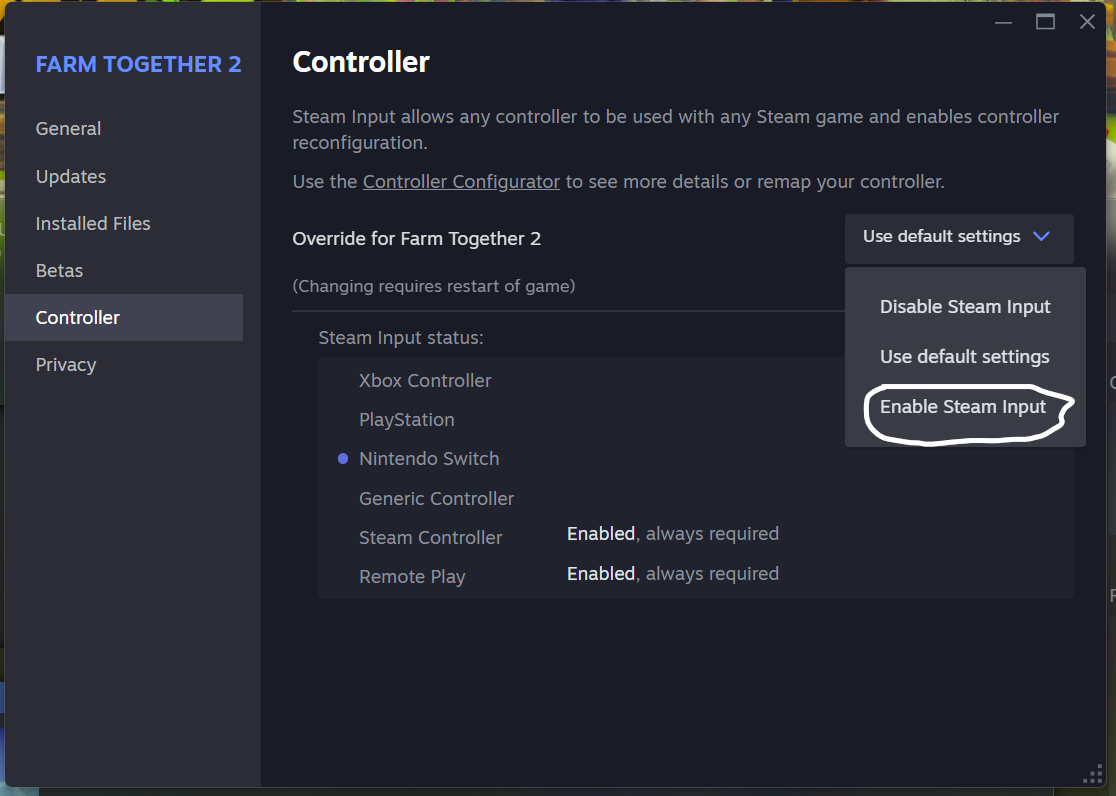
Step 2: In properties click on Controller.

Step 3: In the Controller tab, click on the drop down menu that says “Use Default Settings” or “Disable Steam Input” and click on “Enable Steam Input.”
The Properties window should now look like this:
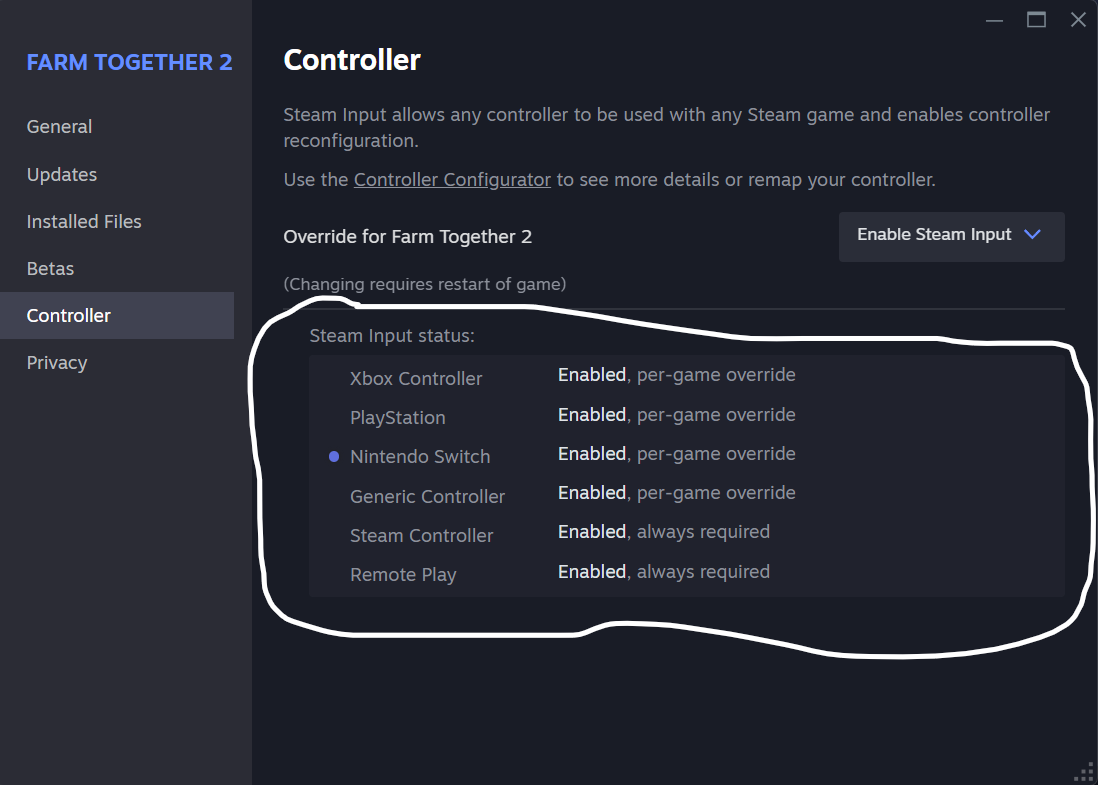
Your Nintendo Switch controller should now be “plug and play.”


Thanks to WoodsDragon for their excellent guide; all credit belongs to their effort. If this guide helps you, please support and rate it here. Enjoy the game.

Leave a Reply Cancel reply

Your email address will not be published. Required fields are marked *

Disclaimer

All content cited is derived from their respective sources. If you think we have used your content without permission, Please go to the Abuse Page to contact us and we will be taking it seriously.

Recent Posts

  • EA Sports FC 26: Save Files for All Legends, Icons, and Heroes
  • Resident Evil Requiem: 100% Walkthrough Save (Classic Mode with All Stages)
  • Steamy Livestreams with My Girlfriend SS: 100% Save Files
  • Approximately Up: How to Land on the Moon
  • Approximately Up Ship Building Guide: From Frame to Flight
©2026 SteamAH | Powered by SuperbThemes & WordPress