

Save time by skipping the logo intro movies when booting the game.
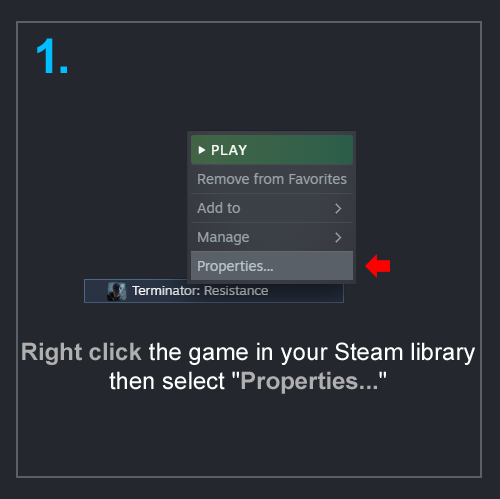
Step 1
Right-click the game in your Steam library, then select “Properties…”
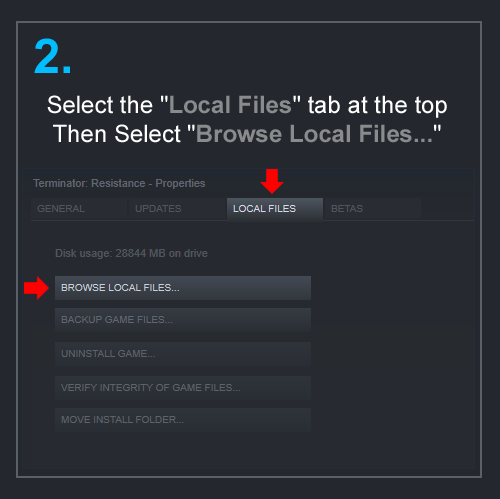
Step 2
Select the “Local Files” tab at the top, then select “Browse Local Files…”
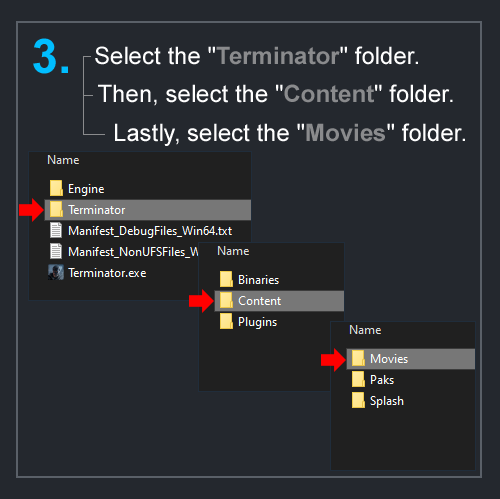
Step 3
Browse to the following folders in this order: Terminator > Content > Movies
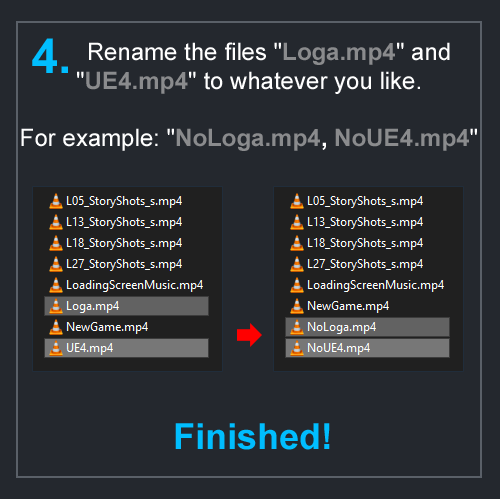
Step 4
Rename the files “Loga.mp4” and “UE4.mp4” to whatever you like.
For example, you can rename these files to “NoLoga.mp4, NoUE4.mp4”
That’s it! enjoy booting up the game faster from now on.
Written by Rizz
Related Posts:
- Terminator: Resistance – How to Disable the Aggressive Chromatic Aberration
- Terminator: Resistance – How to Change FOV
- Terminator: Resistance – 100% Achievements Guide
- Terminator: Resistance – Skill Books Locations