Skip to content
Menu
SteamAH
  • Cheat
  • Guide
  • Tips
  • Privacy Policy
  • Abuse
SteamAH

Imperator: Rome – How to Change the Date of the Campaign

Posted on May 1, 2019

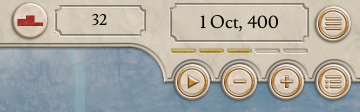
This guide allow you to change the Begin and End date of the campaign of the game.


Changing the date
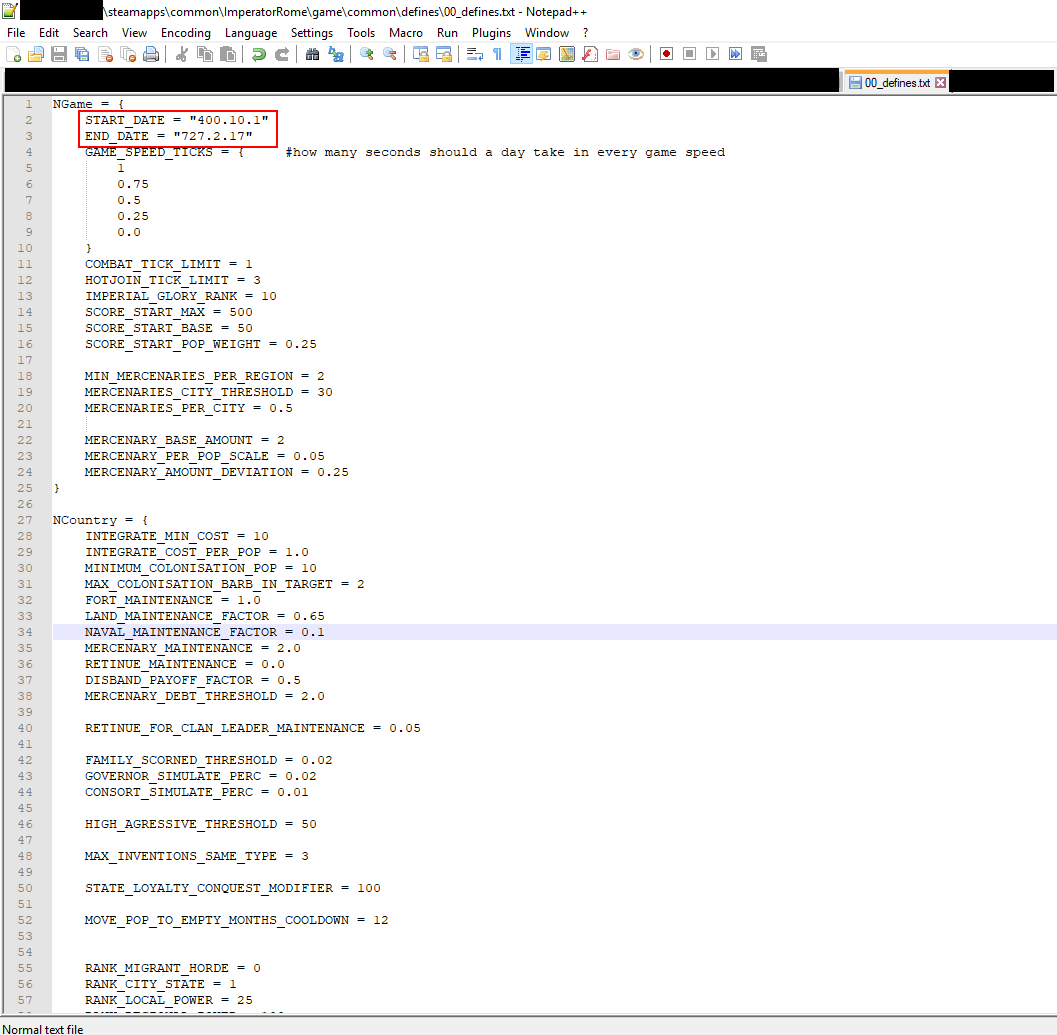
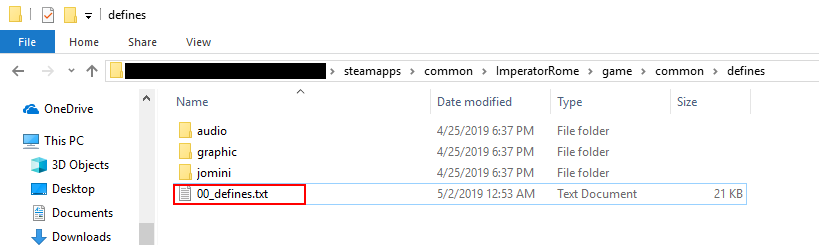
1 – Go in the game folder of the game : …\steamapps\common\ImperatorRome\game\common\defines
2 – Open 00_defines.txt
3 – Edit the following line with your preference date :
START_DATE = “450.10.1”
END_DATE = “727.2.17”
4 – Save & Run the game
Imperator: Rome - How to Change the Date of the Campaign

Written by Telu

MORE GAME GUIDES FOR YOU

Related Posts:

  • Imperator: Rome – Unit Composition Guide
  • Imperator: Rome – Console Commands
  • Imperator: Rome – How to Colonise Quickly
  • Imperator: Rome – How to Transport Units
  • Imperator: Rome: Tips for Beginners

Leave a Reply Cancel reply

Your email address will not be published. Required fields are marked *

Disclaimer

All content cited is derived from their respective sources. If you think we have used your content without permission, Please go to the Abuse Page to contact us and we will be taking it seriously.

Recent Posts

  • School of Love Clubs: Full Gallery Saves (v1.9.1)
  • Soundpad: Meme Sounds Pack (2026 UPDATED!)
  • HoloVillage: Our Cozy Days – Complete Material Source Guide
  • Heroes of Might and Magic: Olden Era – “Golden Oasis” Custom Map for 4 Players
  • holoVillage: Our Cozy Days – All Fishing Spots
©2026 SteamAH | Powered by SuperbThemes & WordPress