
For Darkest Dungeon II players desperate to 100% the game now instead of waiting 1 year, all you need to do is set your system’s PC clock to May 8th 2024.
Changing the date and time
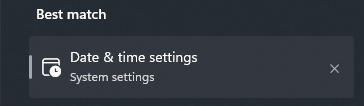
Firstly, search for ‘Date and time’ settings on the Windows search bar.
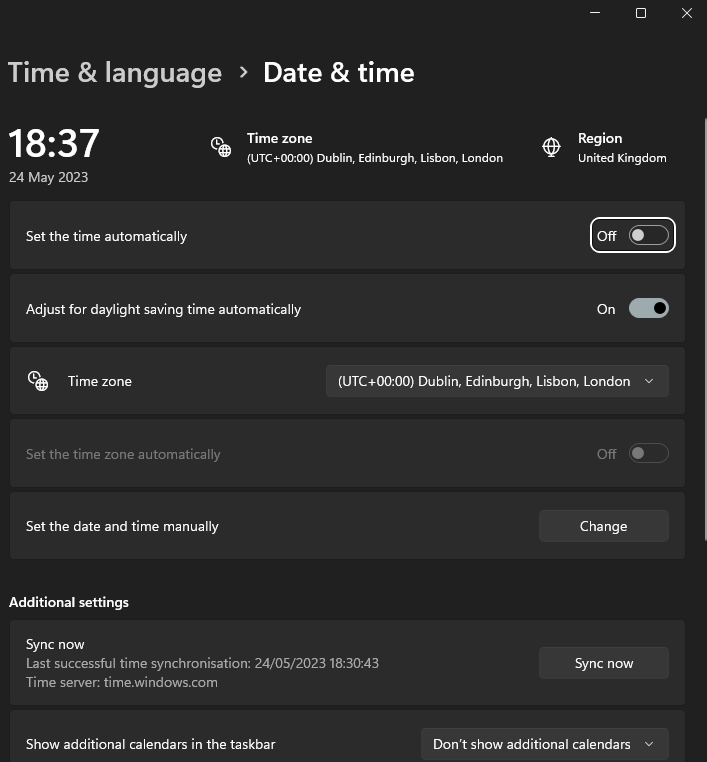
Then, turn ‘Set the time automatically’ off.
Then, change the date to the 8th May 2024.

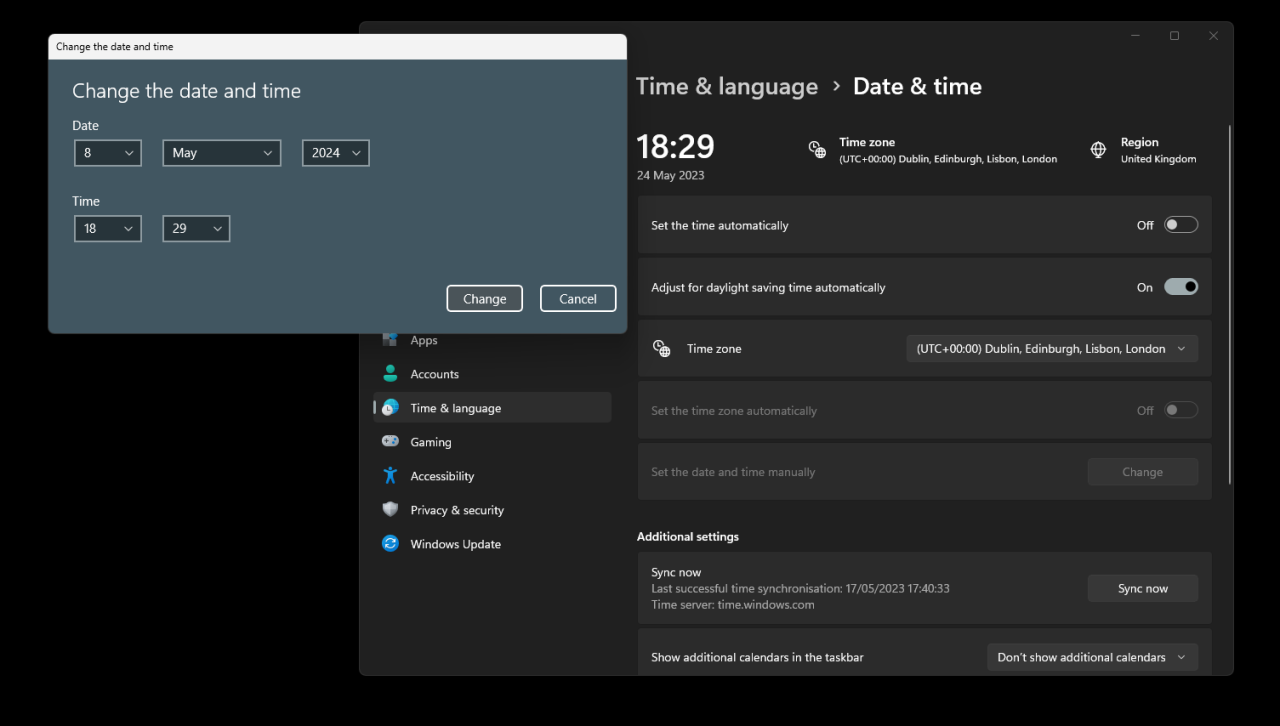
Save, relaunch the game and then the achievement will pop. To reset your PC’s time back to normal, set the ‘Set the time automatically’ option to on.
Related Posts:
- Darkest Dungeon II Steam Deck How to Fix Black Screen on Launch
- Darkest Dungeon II How to Fix Unable to Load Save File
- Darkest Dungeon II How to Force 21:9 Ultrawide Resolution
- Darkest Dungeon II Conquer the Enigmatic Jester Chapter 4 Minigame Guide
- Darkest Dungeon II All Team Composition Names