

For Cyberpunk 2077 players, this guide is for users with GPU around GTX 1060\ RX580 but overall boost for everyone, let’s check it out.
AMD SETTINGS
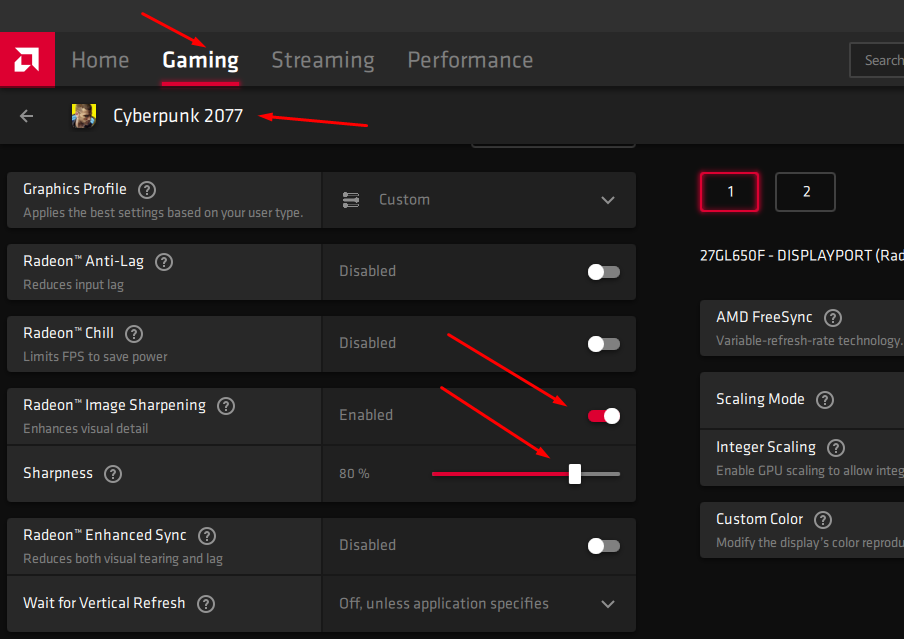
Open AMD Radeon Software, select “GAMING” then “CP2077” and follow the image below.
NVIDIA SETTINGS
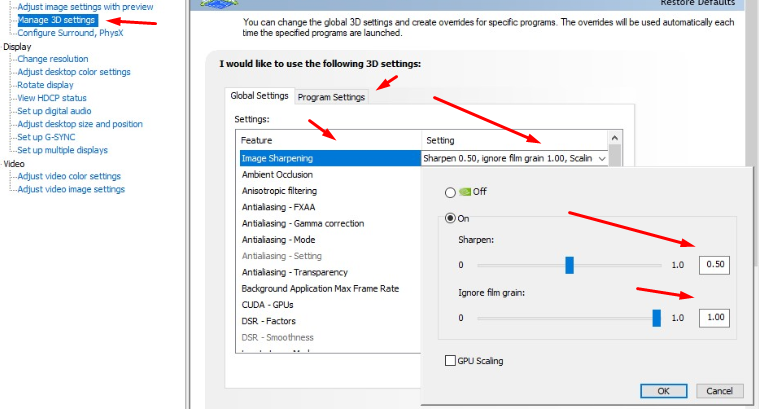
Open Nvidia Control panel, select “3D SETTINGS” then “PROGRAMS” tab then CP2077 and follow the image below
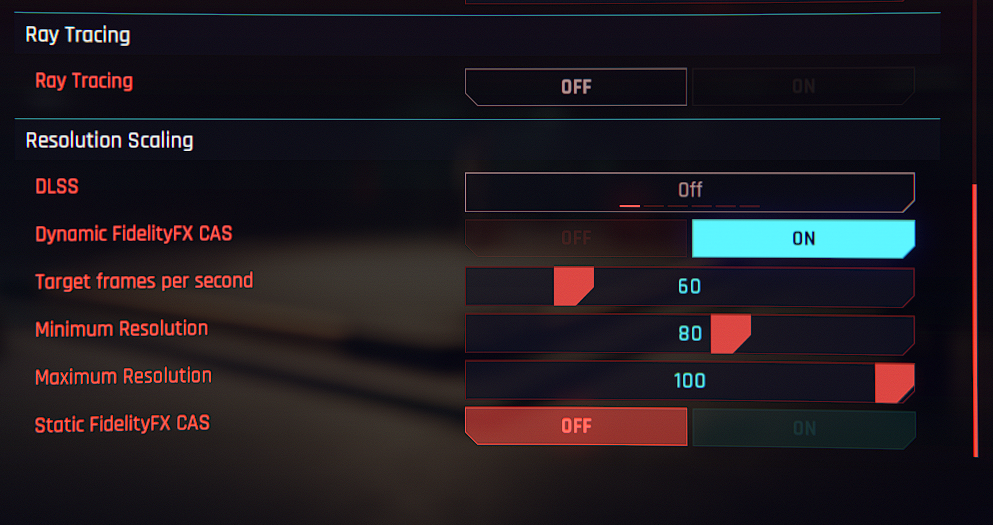
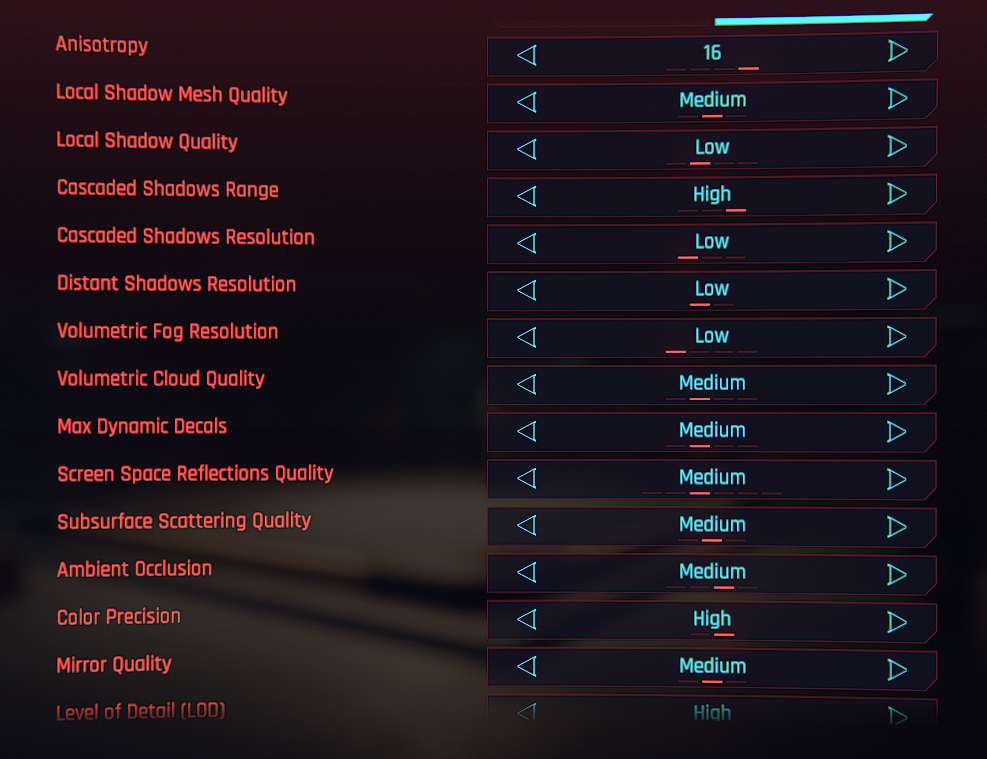
IN GAME SETTINGS
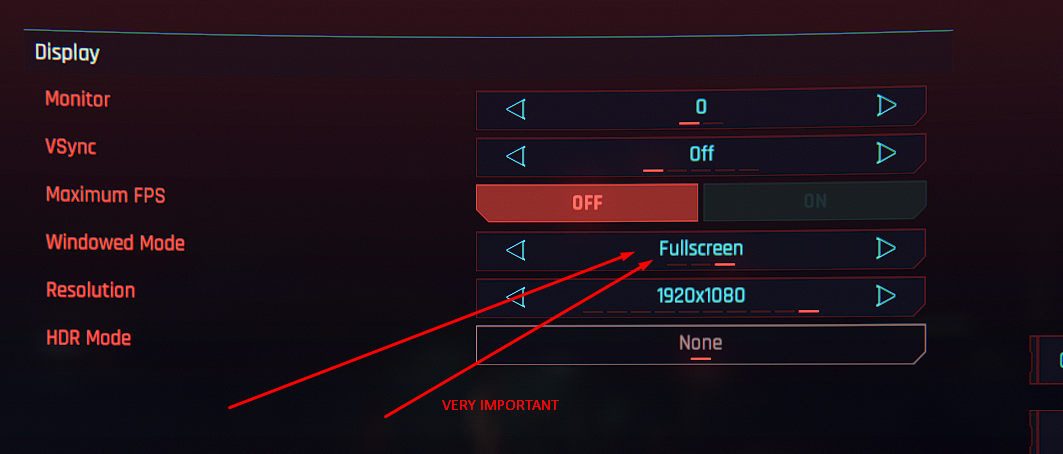
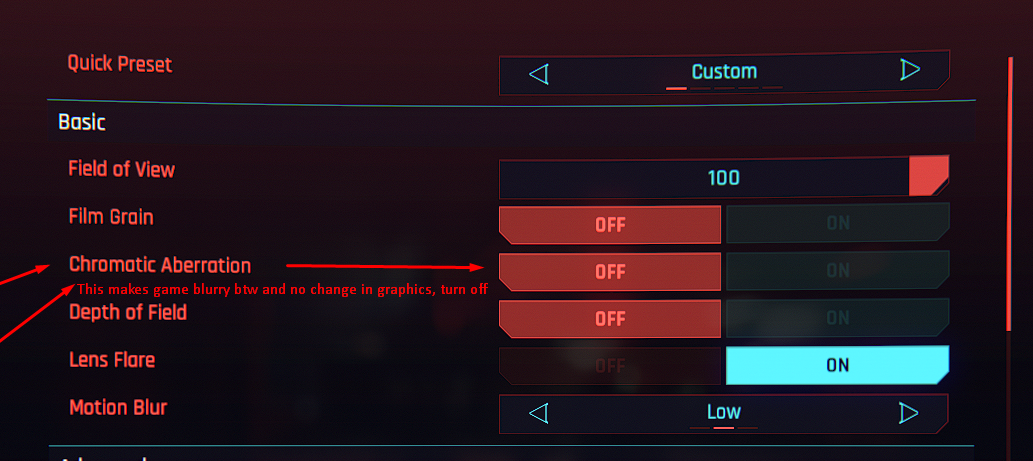
Apply these settings after using the corresponding GPU settings above
RESULTS
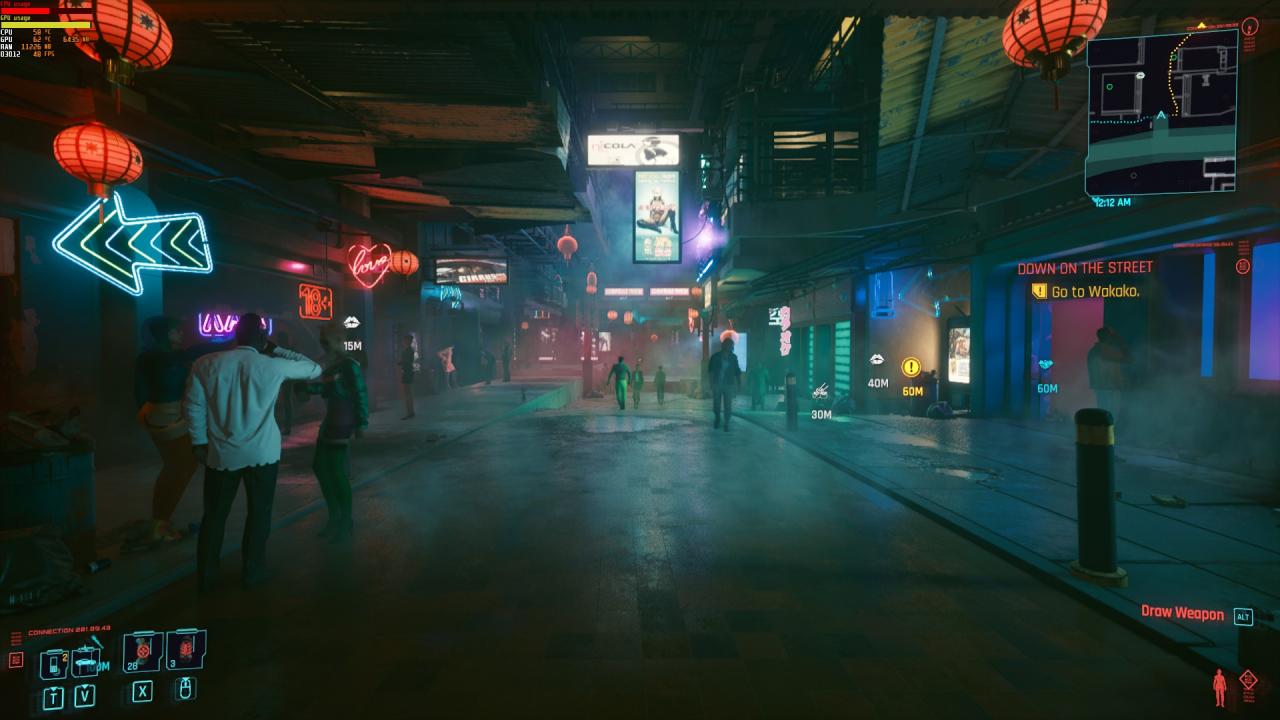
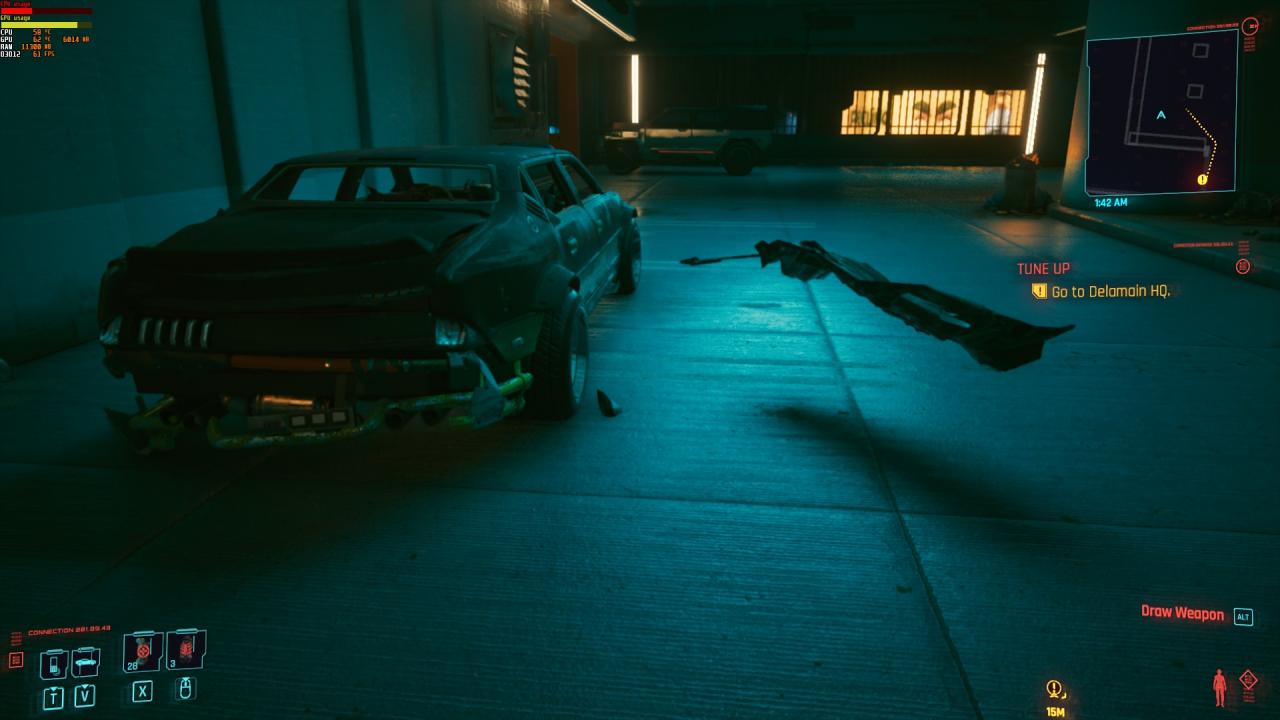
Some screenshots I took with those settings on my RX 580 \ Ryzen 2700 \ 16GB 3200Mhz system (Getting between 50-60fps with dips to 45 on busy street zones and shooting)
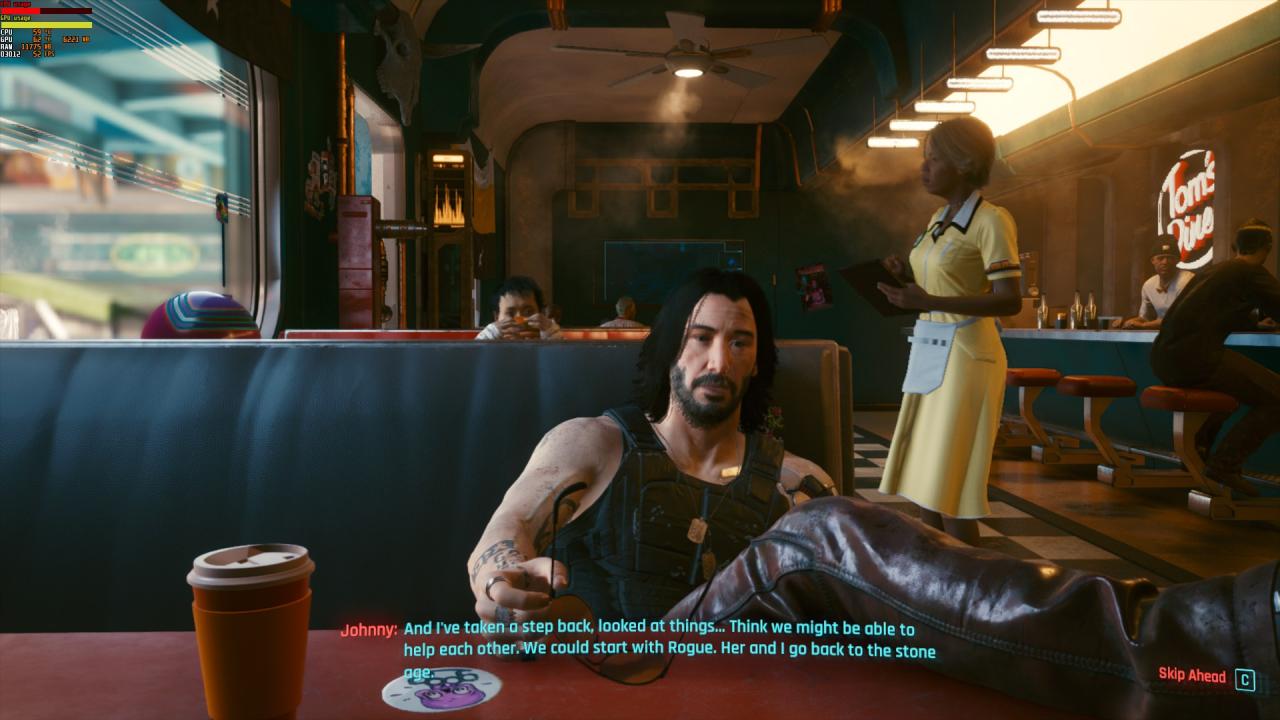

That’s all we are sharing today in Cyberpunk 2077 FPS Boost for NVIDIA and AMD, if you have anything to addm please feel free to leave a comment below, and we’ll see you soon.
Credit to Scorthyn
Related Posts:
- Cyberpunk 2077 GTX 1060 Optimal Graphics Settings and FPS Boost
- Cyberpunk 2077 Possible Fix for Flatline During Startup (Nvidia)
- Cyberpunk 2077 Improved FPS, Image Clarity and Crash Fix
- Cyberpunk 2077 FPS Boost Guide
- Cyberpunk 2077 How to Fix Stuttering or Laggin Sound