

For Baldur’s Gate 3 players, this guide will show you how to fix the most common sound issue in game, let’s check out how.
How to turn Off Spatial Sound
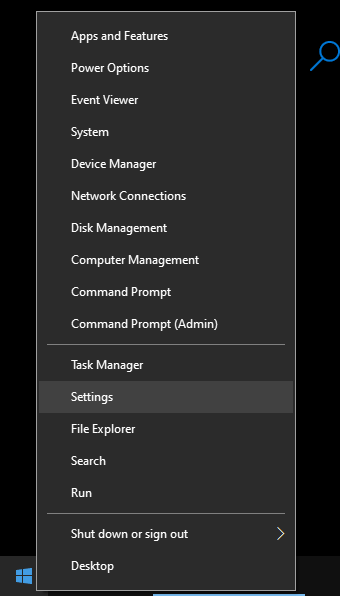
Right-click on the Windows logo and select Settings
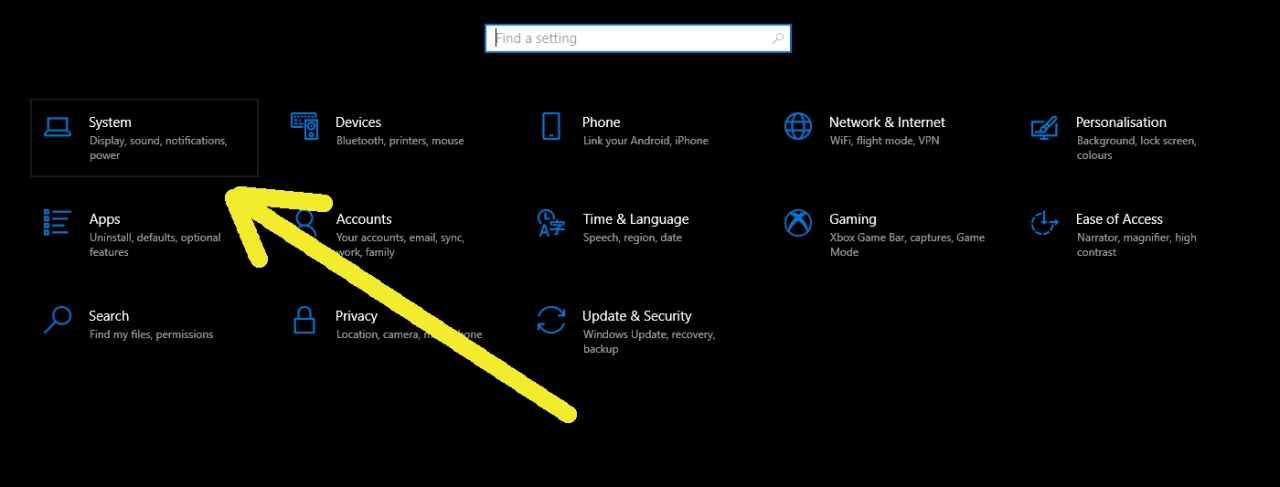
Go to System
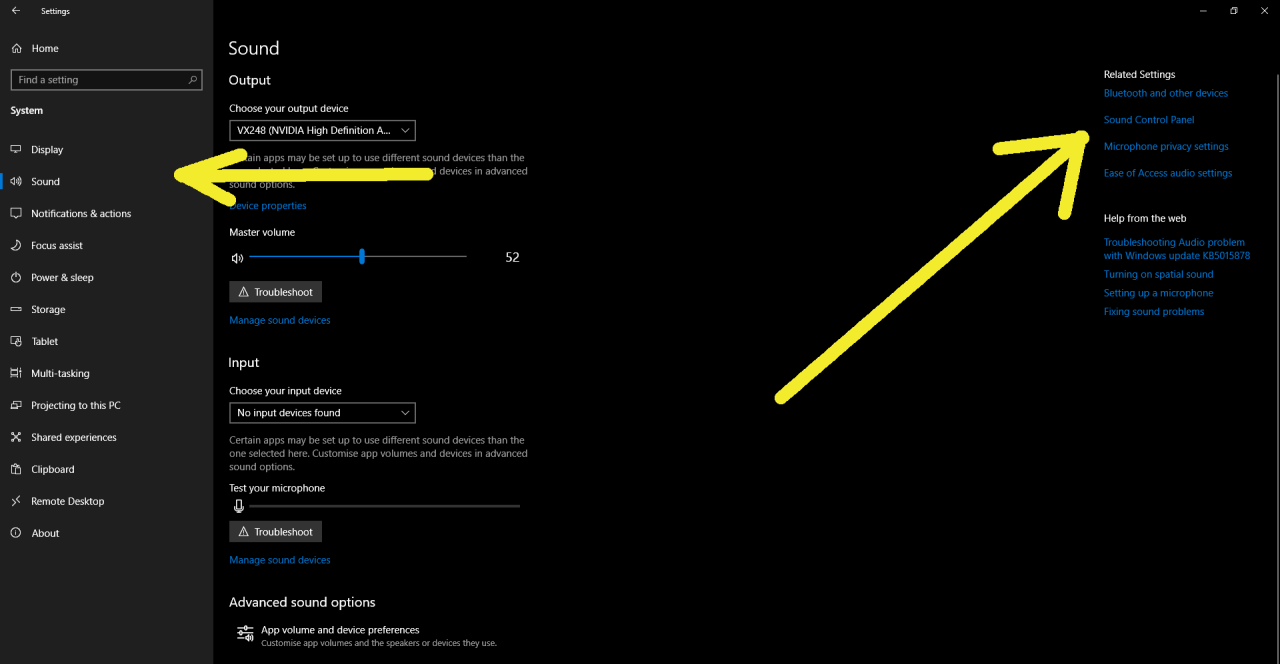
Sound tab -> Related settings: Sound Control Panel
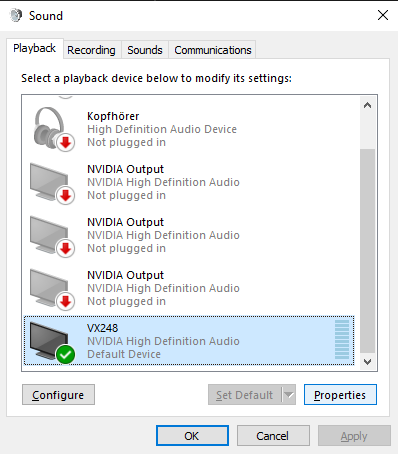
Select your sound output device -> Properties
Go to the Spatial sound tab and turn it off
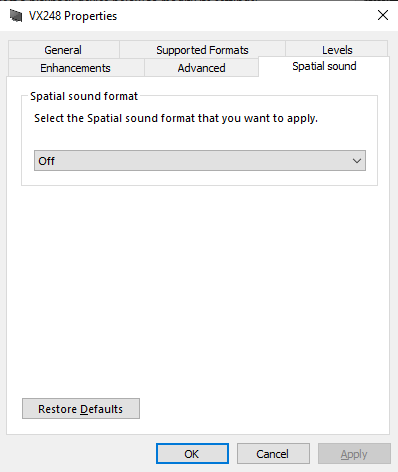
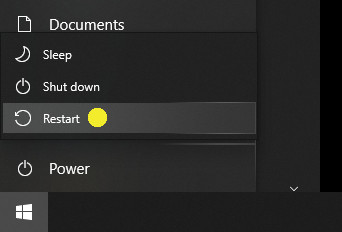
Confirm with OK and restart your PC
Related Posts:
- Baldur’s Gate 3 How to Disable Larian Launcher
- Baldur’s Gate 3 How to Fix Windows 7 Black Screen
- Baldur’s Gate 3 How to Fix Can’t Find Auntie Ethel
- Baldur’s Gate 3 How to Fix DXGI_ERROR_DEVICE_REMOVED
- Baldur’s Gate 3 How to Adopt Your Own Pup