
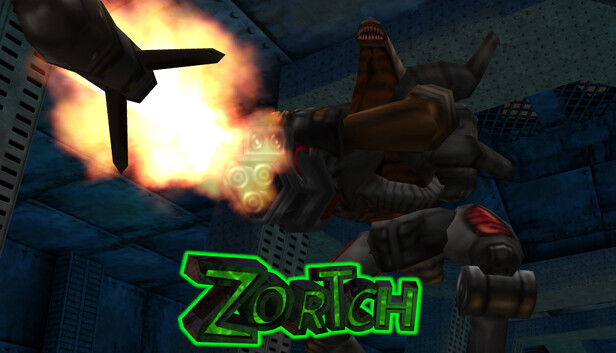
There’s something deeply satisfying about cracking open a retro-style shooter’s console and poking at the guts of the engine, and Zortch is generous enough to leave the door wide open. I’ve spent time digging through every command this thing accepts, and what follows is the complete list I keep on hand whenever I want to break the game in half — or just fool around. Everything here works the same way: hit the tilde key (~) to drop the console, type the command, and press enter. No launcher flags, no config edits, no fuss.
The Classic Cheats That Do Absolutely Nothing
Let me get the joke out of the way first, because it’s the one thing people always try before anything else. Typing IDDQD or IDKFA — the legendary DOOM invincibility and weapon codes — just pops up a “Nice Try” message. That’s it. No god mode, no arsenal. I’ll admit I grinned at it, but if you came here expecting 1993 to reach through the screen and save you, the developer already thought of that.
Keycards, Weapons, and Survival
These are the codes I actually reach for when I’m mid-run and don’t feel like grinding. LAB hands you every keycard at once, which is the quickest way to stop backtracking through locked doors. If you want the full arsenal sorted, GUTHOOD doles out all weapons with maximum ammo, while AMMO strips your current ammo but still grants you every weapon — a strange quirk, but it works if you only care about the guns. NOGUN swings the other direction and clears everything.
For staying alive, BEE is my go-to: it maxes health and armor and stacks every power-up on top. As for HP #, this one is more interesting than it looks. Set your HP to something absurd like 9999999999 and you’re effectively invincible. And on the movement side, RUNANDGUN toggles shooting while sprinting, which changes the rhythm of combat in a way I genuinely enjoy.
Debris, Corpses, and Cleaning House
Zortch’s enemy-tinkering commands are where the real chaos lives, and I love how granular they get. HAX kills everything currently active, while HAXX or HAXXX (yes, three X’s) deletes all enemies outright. The difference matters — the first leaves the fight over, the second wipes the bodies from the field. UNHAX drags all your dead enemies back from the grave, which is great for a deliberate re-fight and terrifying if you fire it by accident. RAND or RE drops a random alien right next to you, so keep your finger clear of that one unless you’re ready.
Camera, View, and Cosmetics
Some of these are practical, some are just fun. FOV # resets your field of view, but it won’t push past the maximum the game allows, so don’t expect to bend the camera into a fisheye wonderland. GUN toggles the visibility of the weapon in your hands — that last part matters, since it does not make you invisible. STICKY slaps a goo effect onto things, purely for the look of it. OUCH makes your character trip, which is a small joy I won’t judge you for.
Map Commands and Level Skipping
When you want to jump around the campaign, NEXTMAP moves you forward; ENDMAP skips the current level and shows your stats on-screen; and RESET or RESTART brings you back to the start of the level. For something flashier, SHATTER skips the level with a shattering-screen transition, and SHATTERV does the same thing upside down. Loading a specific map is handled by LM, GO, MAP, GOMAP, or SETMAP — any of these will pull up the map you name, and the unused maps section below is where that gets interesting. SETMAPNAME # renames the current map, and SETREACH # (0 through 23) unlocks levels in the selector, though it resets to your save next time you launch the game. ENDING triggers a game ending whose result depends on whether you’re in the main campaign or a custom map pack.
Coordinates, Files, and Debug Output
If you’re the tinkering type, PRINTCOORD writes your current position to pos.txt in your game folder, and SETCOORD (X) (Y) (Z) teleports you right to a set of coordinates. Admins and modders get real mileage out of DEBZIP, which saves all data file contents to zipdebug.txt, and DEBREG, which logs every loaded asset to deb_loadact.txt. Both files land in your game folder, so check there rather than hunting through Steam’s file tree.
Housekeeping and Endgame Commands
A few commands you should handle with care. KILL, SUICIDE, and the oddly named SODUKO all kill your character instantly — not a subtle bunch. RESETSTEAM wipes your Steam achievements, and this is Steam-version only, so don’t even look at it unless you actually mean it. EXIT quits the game, and DEBUG toggles debug mode, which is the gateway to everything in the next two sections.
Debug Keybinds: Where the Engine Opens Up
To use any of the following keys, you first need debug mode switched on, and you have to hold the key down rather than tap it. The bindings are straightforward once you get used to the idea of holding them:
- Y — levitate upward.
- U — run the gameplay faster.
- I — freeze gameplay entirely.
- O — image test.
- G — debug renderer.
- H — hitbox renderer plus elements.
- J — third-person view.
- K — show sprites.
- L — show game effect sprites.
- M — top-down view of what’s on screen.
- CTRL or ALT — debug fly / noclip mode.
Debug Console Commands
Once debug mode is live, three more console commands come online. STOP freezes time, which is handy when you want to line up a screenshot or study a scene without anything moving. SWARE flips the game into shareware mode — a limited-demo weapon set that can actually break maps — and you’ll need to restart the game to turn it off, so keep that in mind before you type it. SBETA enables beta mode, which also only disables on a restart.
All the Unused Maps You Can Load
This is my favorite part of the whole list. Dozens of development and test maps are still sitting in the game files, and each can be reached with LM or MAP. They’re not polished levels, but as a peek into how the game was built, they’re fascinating. Here’s what I have documented:
| Map Command | What It Is |
|---|---|
| MENU1 | Background menu map used during demo gameplay |
| MENU2 | Background menu map used during demo gameplay |
| MENU3 | Background menu map used during demo gameplay |
| WAR | Optimization and testing map packed with many enemies |
| ARENA | Testing map for weapon pickups and enemies, including unused enemies and pickups |
| BLOOP | Test map specific to the Bloop enemy |
| BRUTE | Test map specific to the Brute enemy |
| FLOATER | Test map specific to the Floater enemy |
| GOTCHA | Enemy infighting test map, echoing the classic DOOM 2 Cyberdemon vs. Spider Mastermind showdown |
| HUNTER | Test map specific to the Hunter enemy |
| MINI | Test map specific to the Minigun Brute enemy |
| POOL | Test map for water, hazards, and power-ups, including the unused Nekkrobox snowman entity |
| SAWBOT | Test map specific to the Sawbot enemy |
| STEPS | Test map for various features such as stairs and power-ups |
The GOTCHA map is the one I keep coming back to — it’s built to simulate enemy infighting, and the nod to that old DOOM 2 matchup is unmistakable once you see it. If you only load one unused map, make it that one.
Final Word
Half the fun of a game like Zortch is seeing how far its own developers pushed the engine behind closed doors, and these codes hand you that same drawer of tools. Fire up the console, pick a command, and enjoy the ride — just think twice before you press enter on RESETSTEAM.