
Skip to content
Menu
SteamAH
  • Cheat
  • Guide
  • Tips
  • Privacy Policy
  • Abuse
SteamAH

Makeover Desire – HENSHIN GANBO: How to Creat Language Data

Posted on November 7, 2019

Getting and preparing tools.
Extract and translate sentences using tools.
Let’s prepare tools for that.
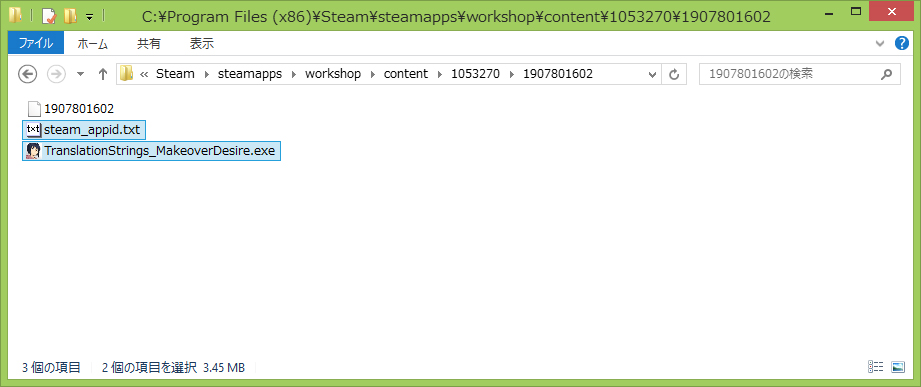
Please subscribe to “sample & tools.” and at workshop.
By default it is in “C:\Program Files (x86)\Steam\steamapps\workshop\content\1053270\1907801602”.
Makeover Desire - HENSHIN GANBO: How to Creat Language Data

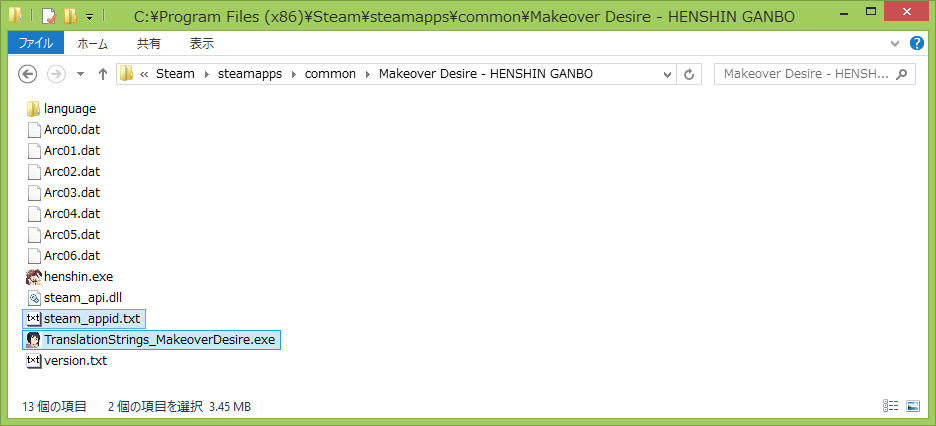
“steam_api.dll” is required for “TranslationStrings_MakeoverDesire.exe”.
So copy “steam_appid.txt” and “TranslationStrings_MakeoverDesire.exe”
to “Makeover Desire – HENSHIN GANBO” installation folder.
Makeover Desire - HENSHIN GANBO: How to Creat Language Data
Written by toyo

Leave a Reply Cancel reply

Your email address will not be published. Required fields are marked *

Disclaimer

All content cited is derived from their respective sources. If you think we have used your content without permission, Please go to the Abuse Page to contact us and we will be taking it seriously.

Recent Posts

  • My Winter Car: Save Files for 100% Rivvet
  • Anomalous Coffee Machine 2: 100% Save Files
  • Love n Life: Happy Student – 100% Save
  • Monument Valley 3: 100% Save Files
  • Quake 4: All Story Mode Save Files
©2026 SteamAH | Powered by SuperbThemes & WordPress