
Skip to content
Menu
SteamAH
  • Cheat
  • Guide
  • Tips
  • Privacy Policy
  • Abuse
SteamAH

Forza Motorsport How to Fix Controller Dampening Guide

Posted on October 12, 2023
Forza Motorsport already has default dampening for controllers, but steam users have additional settings that can hinder your performance. This guide removes steam’s extra dampening.

Step 1
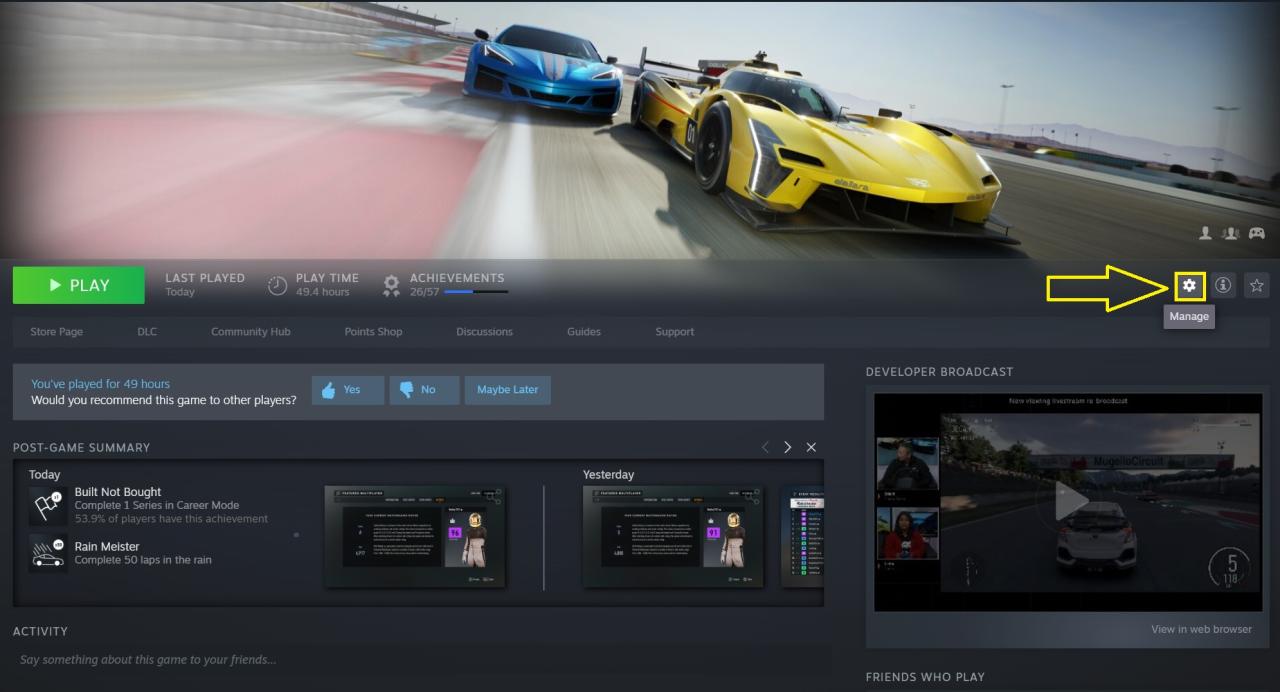

Navigate to your Forza Motorsport library page and click the “Manage” icon.

Step 2
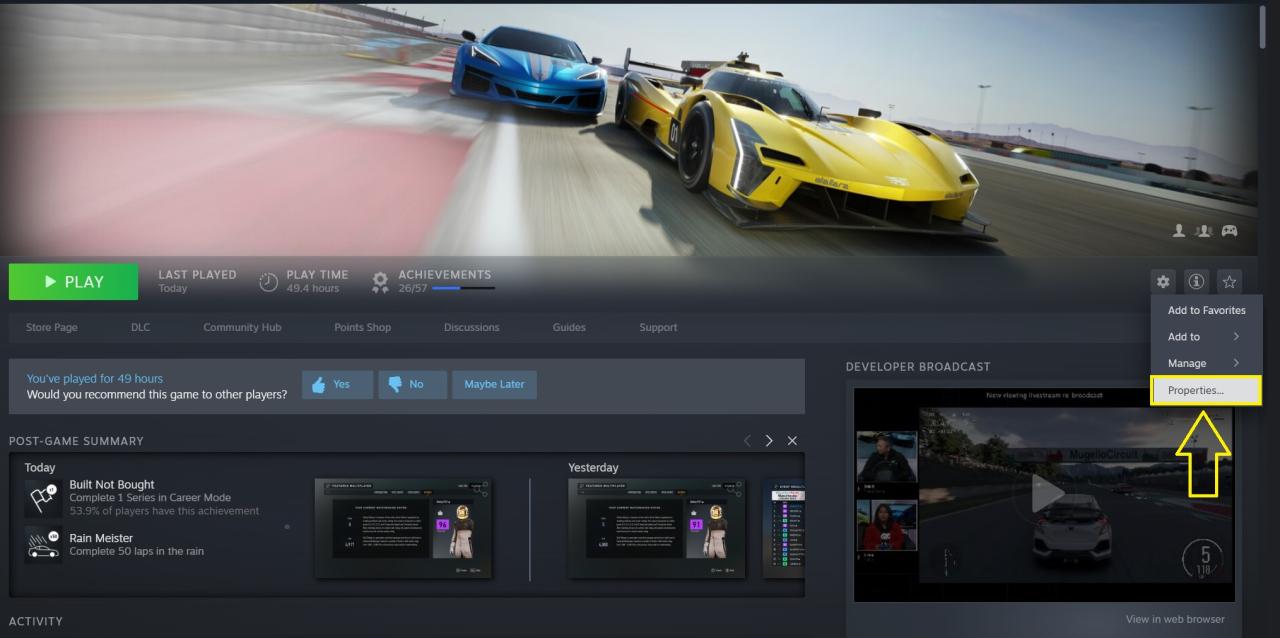

Now click the “Properties” option.

Step 3
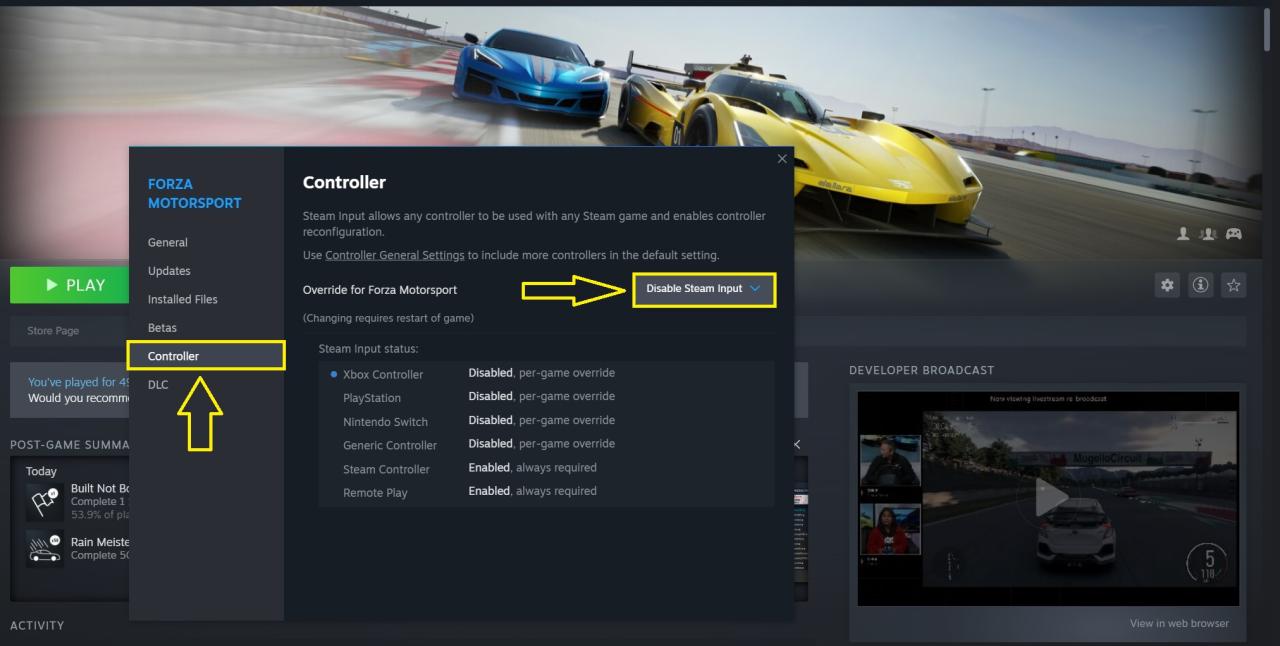

Now click on “Controller” and change the “Override for Forza Motorsport” to “Disable Steam Input” to remove any unwanted additional dampening.


That’s all we are sharing today in Forza Motorsport How to Fix Controller Dampening Guide, if you have anything to add, please feel free to leave a comment below, you can also read the original article here, all the credits goes to the original author Omiley

Related Posts:

  • Forza Motorsport CSL DD FFB Settings Guide
  • Forza Motorsport Auto Car Upgrade Guide

Leave a Reply Cancel reply

Your email address will not be published. Required fields are marked *

Disclaimer

All content cited is derived from their respective sources. If you think we have used your content without permission, Please go to the Abuse Page to contact us and we will be taking it seriously.

Recent Posts

  • ACE COMBAT 8: WINGS OF THEVE – How to Enable DLSS Frame Generation
  • Frutiger Home: Frutiger Evil Achievement Guide
  • Borderlands 4: Currently Working SHiFT Codes (October 2026)
  • DEATH PENALTY: How to Fix Broken Achievements Issue on Linux
  • HIROTONFA’s American Revolution Smuggler – City Reference Guide
©2026 SteamAH | Powered by SuperbThemes & WordPress